

Visualizations in R with ggplot2()
What Youโll Learn Today
mpg and iris dataLetโs dive in and start exploring data! ๐
Getting Your Environment Ready ๐ ๏ธ
Installing and loading the essential packages. Note: We can skip this part since we have already been using tidyverse in our environment!
One Package, Many Superpowers! โจ
The tidyverse is a collection of R packages designed to work together seamlessly.
# Install tidyverse (only need to do this once!)
# This installs: dplyr, ggplot2, tidyr, readr, purrr, tibble,
# stringr, forcats, and more!
install.packages("tidyverse")
# Check if installation was successful
library(tidyverse)
# You should see a message like:
# โโ Attaching core tidyverse packages โโ tidyverse 2.0.0 โโ
# โ dplyr 1.1.4 โ readr 2.1.5
# โ forcats 1.0.0 โ stringr 1.5.1
# โ ggplot2 3.5.1 โ tibble 3.2.1
# โ lubridate 1.9.3 โ tidyr 1.3.1
# โ purrr 1.0.2Load Packages in Every Session ๐
You need to load packages each time you start R
Method 1: Load Entire Tidyverse
# Load all tidyverse packages at once
library(tidyverse)
# This gives you access to:
# - ggplot2 for visualization
# - dplyr for data manipulation
# - tidyr for data tidying
# - readr for data import
# - purrr for functional programming
# - tibble for modern data frames
# - stringr for strings
# - forcats for factorsMethod 2: Load Individual Packages
Note
For this work: Weโll use library(tidyverse) to load everything at once!
Quick Check: Make sure everything installs correctly! โ
# Load tidyverse
library(tidyverse)
# Check versions
packageVersion("ggplot2")
# [1] '3.5.1'
packageVersion("dplyr")
# [1] '1.1.4'
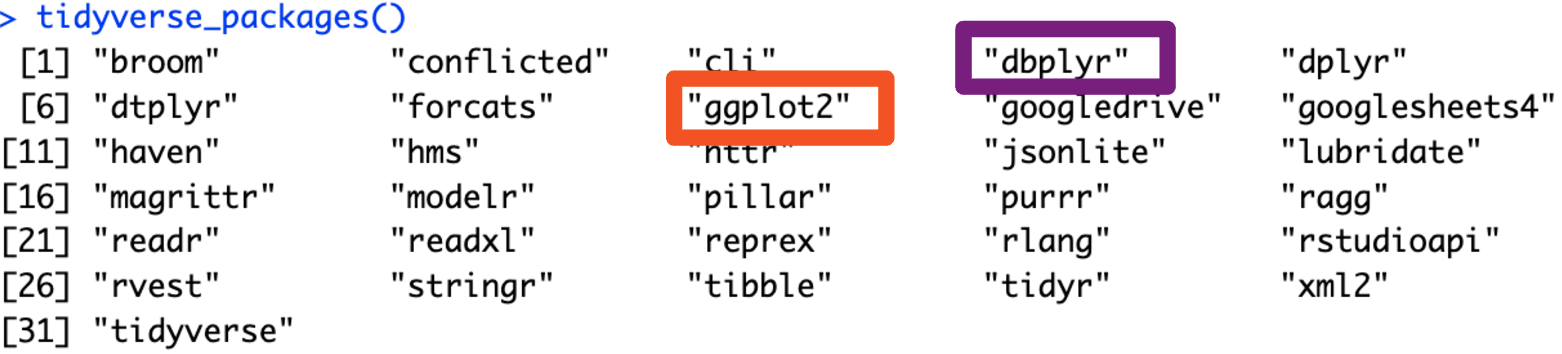
# List all loaded tidyverse packages
tidyverse_packages()
# [1] "broom" "conflicted" "cli" "dbplyr" "dplyr"
# [6] "dtplyr" "forcats" "ggplot2" "googledrive"...
# Check for conflicts (functions with same names)
tidyverse_conflicts()
# โโ Conflicts โโโโโโโโโโโโโโโโโโโโโโโโโโโโโโโโโโโโโโโโโโ tidyverse_conflicts() โโ
# โ dplyr::filter() masks stats::filter()
# โ dplyr::lag() masks stats::lag()Wait!! You can use the below code to start each project with RStudio with a clean environment.
# Function to clear environment, plots, and console
remove_existing_objects <- function() {
rm(list = ls()) # Remove all objects from environment
graphics.off() # Clear all plots
cat("\014") # Clear console
}
# Load packages (install if not already installed)
required_packages <- c('tidyverse', 'dplyr')
# Function to install and load packages
install_and_load <- function(packages) {
for(pkg in packages) {
if(!require(pkg, character.only = TRUE, quietly = TRUE)) {
install.packages(pkg)
library(pkg, character.only = TRUE)
}
}
}
# Call the functions to set up the environment
install_and_load(required_packages)
remove_existing_objects()
######################
# Add your code below this linePractice with Real Data ๐
R comes with great datasets for learning. Some of these we have already seen in previous slides and work.
Fuel Economy Data โฝ
EPA fuel economy data for 38 popular car models (1999-2008)
Loading and First Look
# Load tidyverse
library(tidyverse)
# The mpg dataset comes with ggplot2
data(mpg)
# Quick overview
mpg
# A tibble: 234 ร 11
# manufacturer model displ year cyl trans
# <chr> <chr> <dbl> <int> <int> <chr>
# 1 audi a4 1.8 1999 4 autoโฆ
# 2 audi a4 1.8 1999 4 manuaโฆ
# 3 audi a4 2 2008 4 manuaโฆ
# 4 audi a4 2 2008 4 autoโฆ
# ...
# Dimensions
dim(mpg)
# [1] 234 11
# 234 rows (cars), 11 columns (variables)Variable Descriptions
manufacturer - Car makermodel - Model namedispl - Engine displacement (liters)year - Manufacturing yearcyl - Number of cylinderstrans - Transmission typedrv - Drive type (f/r/4)cty - City miles per gallonhwy - Highway miles per gallonfl - Fuel typeclass - Vehicle classMultiple Ways to Explore ๐
Different functions show different aspects of your data
# View first 6 rows
head(mpg)
# View last 6 rows
tail(mpg)
# View first n rows
head(mpg, 10)
# Structure of the dataset
str(mpg)
# tibble [234 ร 11] (S3: tbl_df/tbl/data.frame)
# $ manufacturer: chr [1:234] "audi" "audi" "audi" "audi" ...
# $ model : chr [1:234] "a4" "a4" "a4" "a4" ...
# $ displ : num [1:234] 1.8 1.8 2 2 2.8 2.8 3.1 1.8 1.8 2 ...
# Summary statistics for all columns
summary(mpg)
# manufacturer model displ year
# Length:234 Length:234 Min. :1.600 Min. :1999
# Class :character Class :character 1st Qu.:2.400 1st Qu.:1999
# Mode :character Mode :character Median :3.300 Median :2004
# Mean :3.472 Mean :2004
# Get column names
names(mpg)
# [1] "manufacturer" "model" "displ" "year" "cyl"
# [6] "trans" "drv" "cty" "hwy" "fl"
# [11] "class"
# View in RStudio viewer (interactive table)
View(mpg)Fisherโs Classic Dataset ๐ธ
Measurements of iris flowers - a classic for classification
Loading and Exploring
# Load the iris dataset
data(iris)
# Convert to tibble (tidyverse format)
iris <- as_tibble(iris)
# View the data
iris
# A tibble: 150 ร 5
# Sepal.Length Sepal.Width Petal.Length
# <dbl> <dbl> <dbl>
# 1 5.1 3.5 1.4
# 2 4.9 3 1.4
# 3 4.7 3.2 1.3
# ...
# Dimensions
dim(iris)
# [1] 150 5
# Column names
names(iris)
# [1] "Sepal.Length" "Sepal.Width" "Petal.Length"
# [4] "Petal.Width" "Species"Variable Descriptions
Sepal.Length - Sepal length (cm)Sepal.Width - Sepal width (cm)Petal.Length - Petal length (cm)Petal.Width - Petal width (cm)Species - Flower species
Perfect for: - Scatter plots - Classification - Comparing groups - Visualizing relationships
Understanding Your Data ๐
Quick comparison of our two datasets: Each data set has its own structure, variables, and types, which we will explore in detail. We can use these structures to practice our data manipulation skills! Neat-O!
MPG Dataset
glimpse(mpg)
# Rows: 234
# Columns: 11
# $ manufacturer <chr> "audi", "audi"...
# $ model <chr> "a4", "a4"...
# $ displ <dbl> 1.8, 1.8, 2.0...
# $ year <int> 1999, 1999...
# $ cyl <int> 4, 4, 4, 4...
# $ trans <chr> "auto(l5)"...
# $ drv <chr> "f", "f", "f"...
# $ cty <int> 18, 21, 20...
# $ hwy <int> 29, 29, 31...
# $ fl <chr> "p", "p", "p"...
# $ class <chr> "compact"...
# 234 observations
# Mixed data types
# Categorical + NumericIris Dataset
glimpse(iris)
# Rows: 150
# Columns: 5
# $ Sepal.Length <dbl> 5.1, 4.9, 4.7...
# $ Sepal.Width <dbl> 3.5, 3.0, 3.2...
# $ Petal.Length <dbl> 1.4, 1.4, 1.3...
# $ Petal.Width <dbl> 0.2, 0.2, 0.2...
# $ Species <fct> setosa, setosa...
# 150 observations
# Mostly numeric
# One categorical variable
# Three balanced groupsCreating Beautiful Plots ๐
The grammar of graphics
ggplot() FunctionThe Three Essentials
Note
aes()): Map variables to visual propertiesgeom_*()): How to represent the dataNote
Common aesthetics you can map:
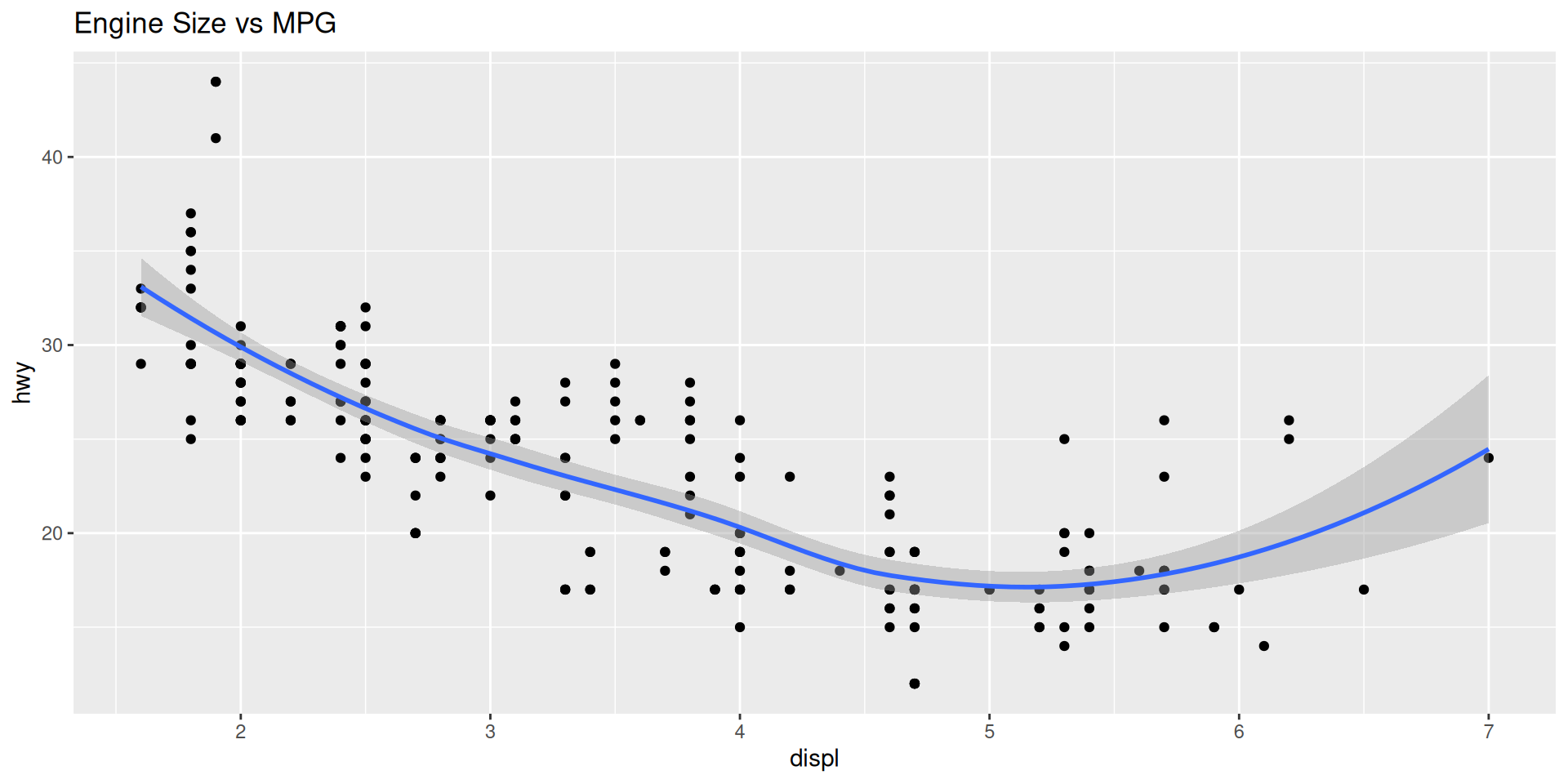
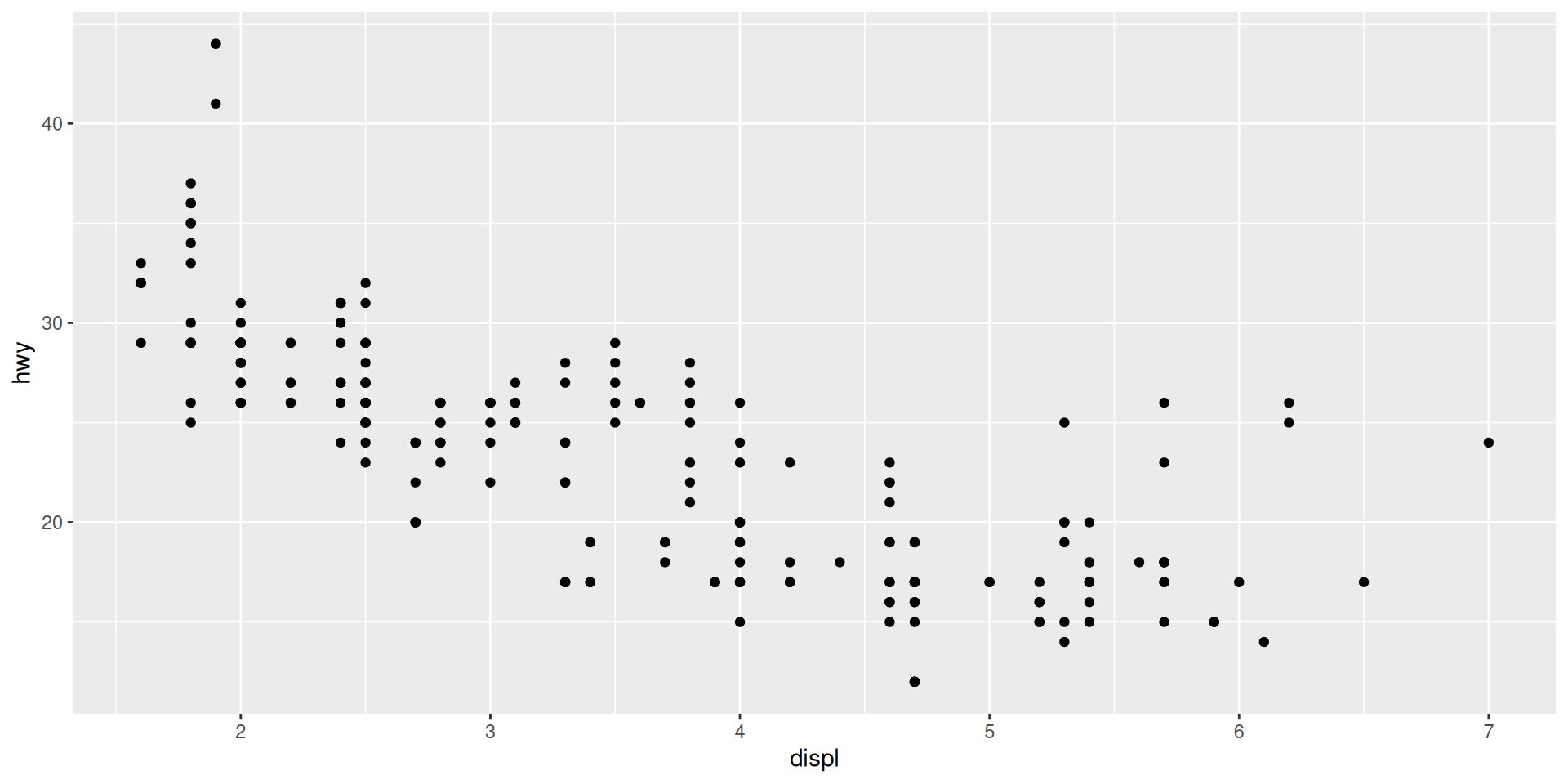
x - X-axis positiony - Y-axis positioncolor - Point/line colorfill - Fill color (bars, areas)size - Point/line sizeshape - Point shapealpha - Transparencylinetype - Line patternExploring the relationship between engine size and fuel efficiency
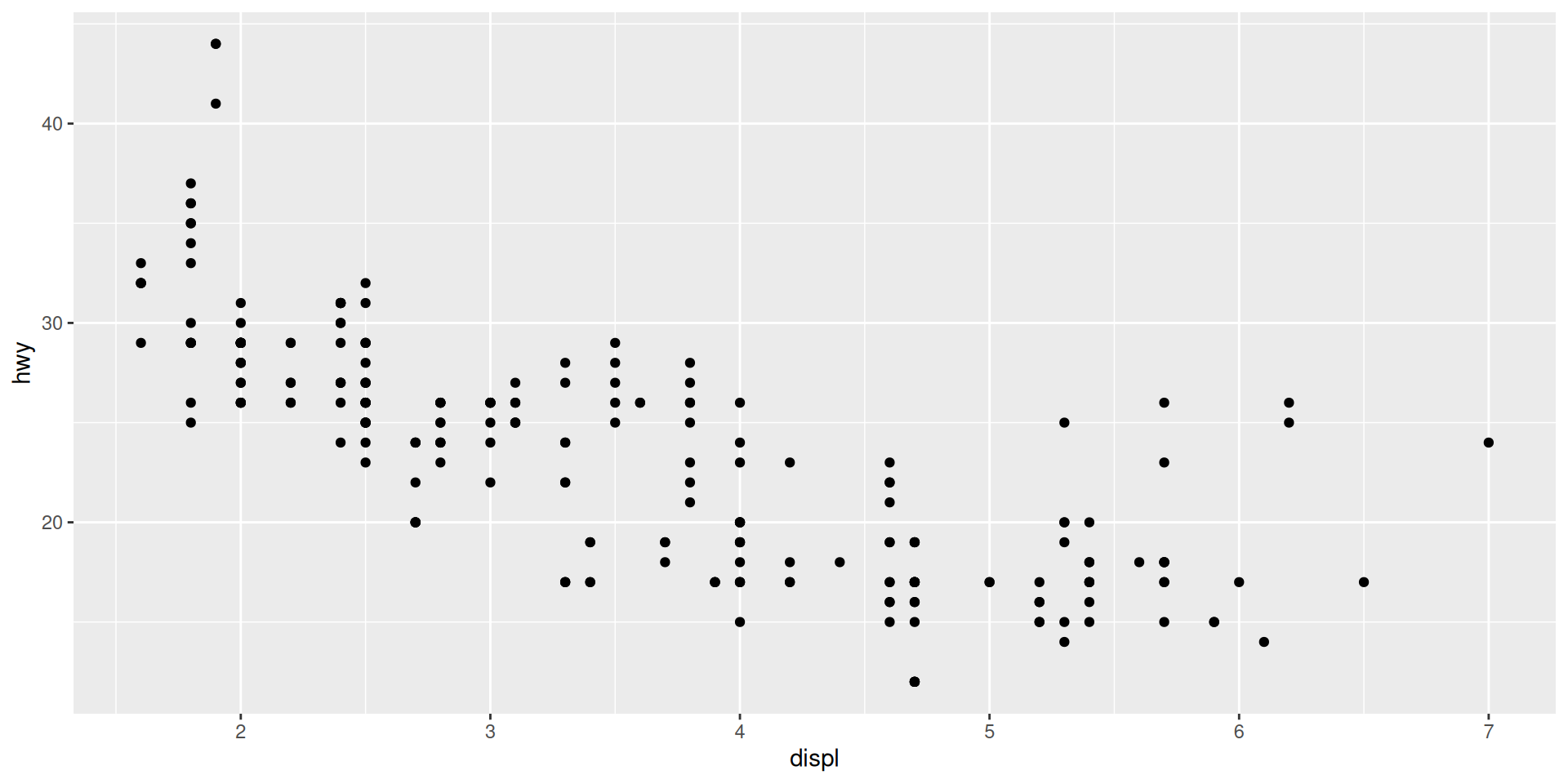
# Simple scatter plot
ggplot(mpg, aes(x = displ, y = hwy)) +
geom_point()
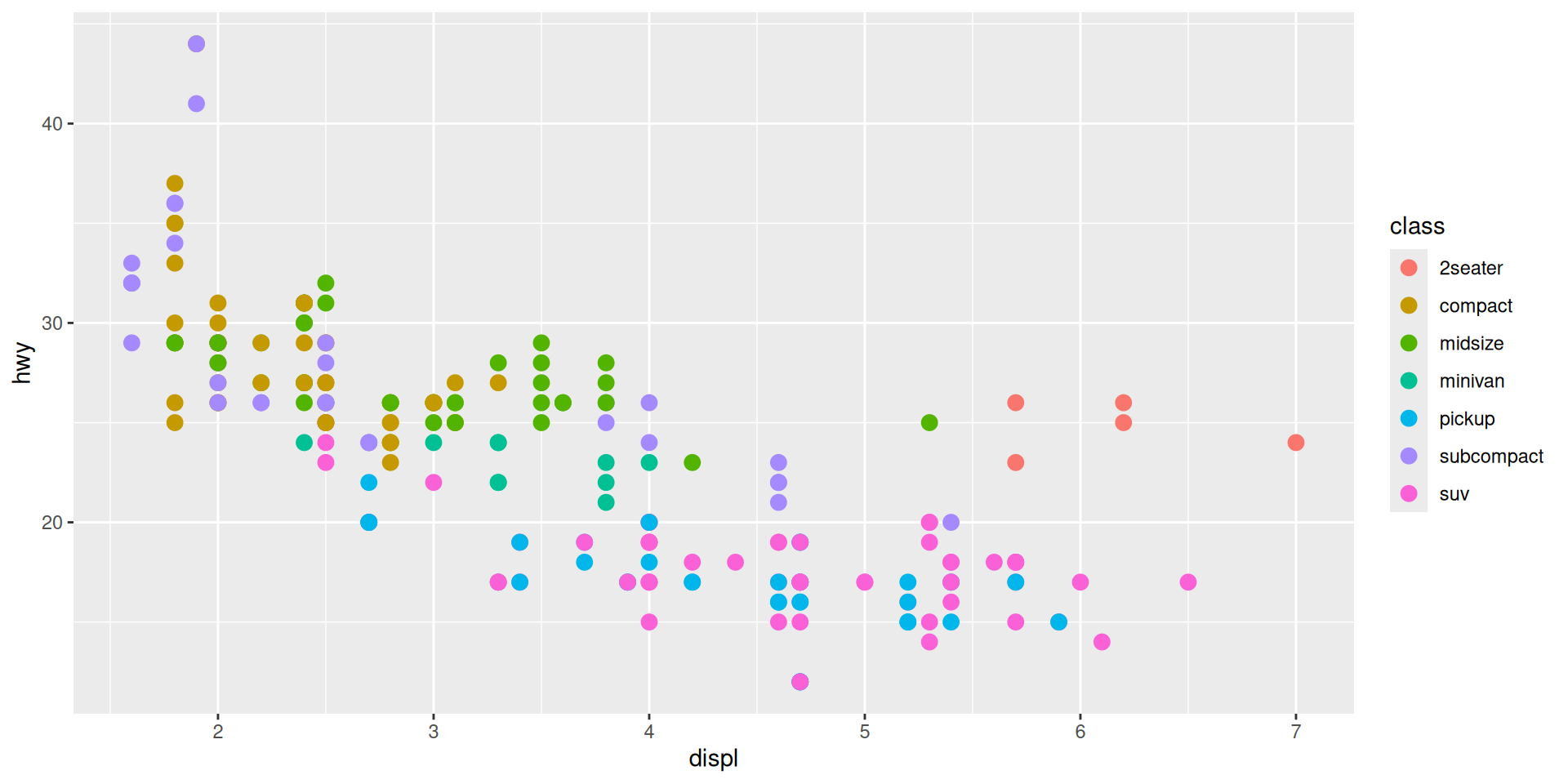
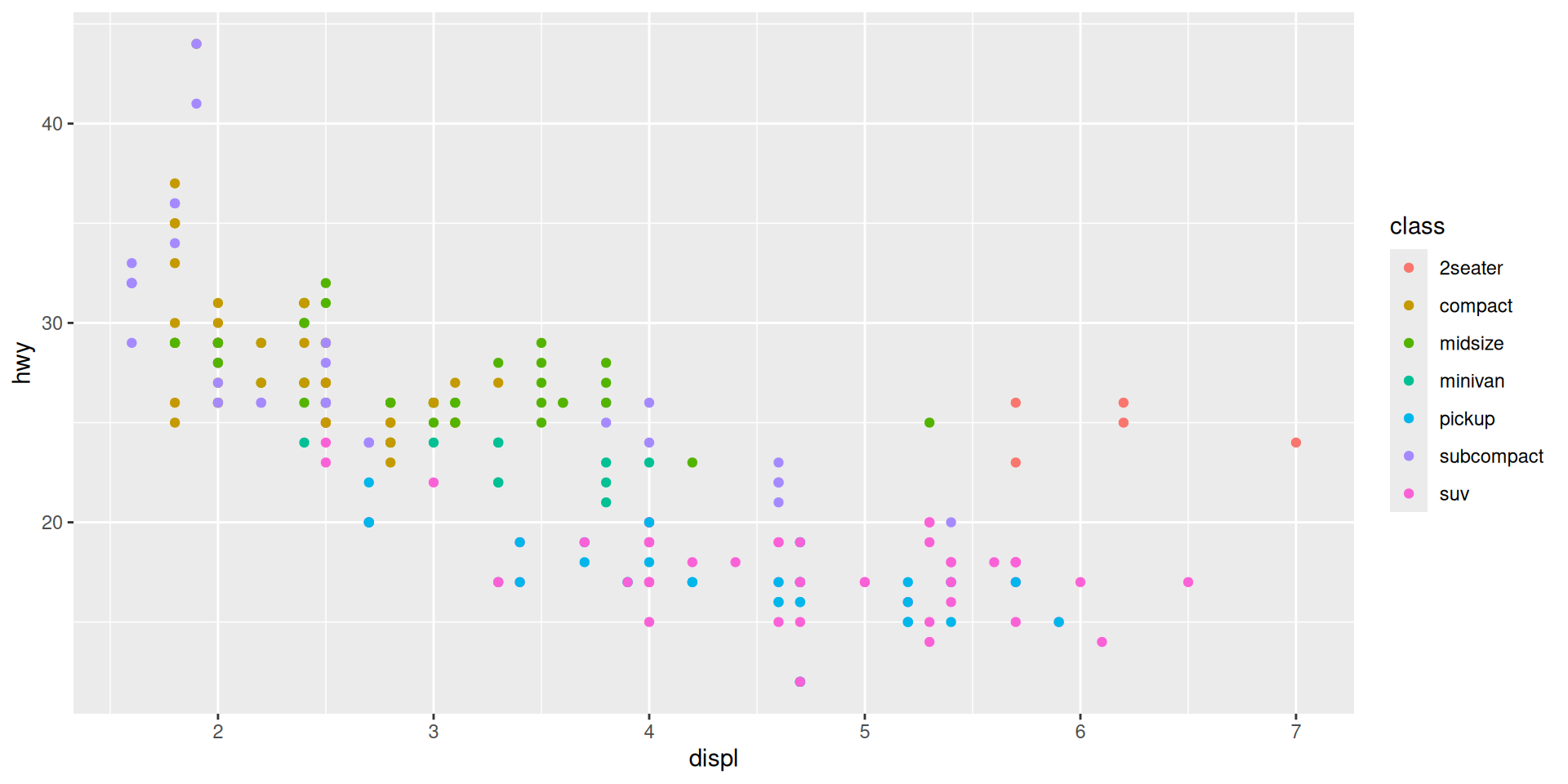
# Add color by class
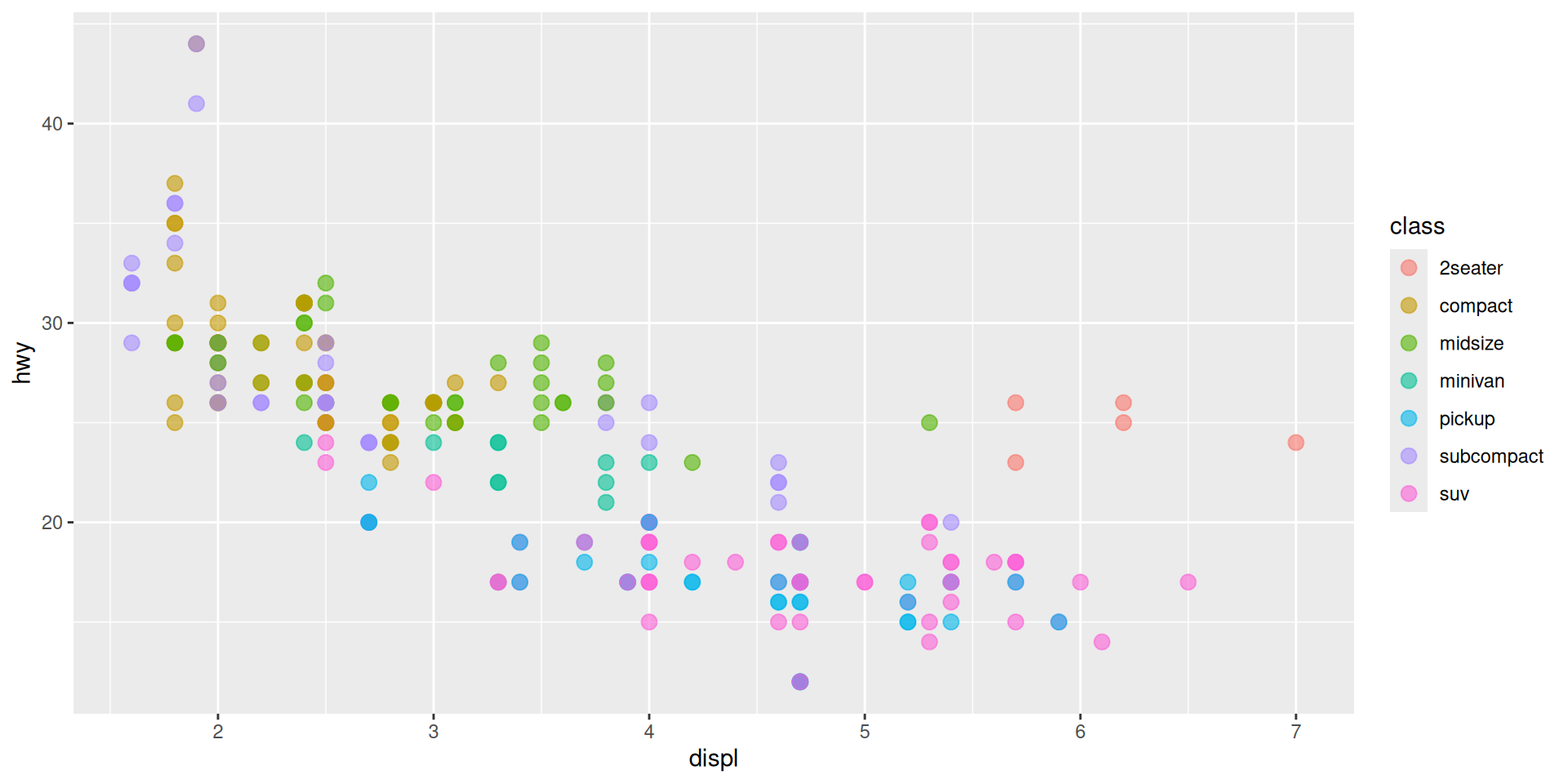
ggplot(mpg, aes(x = displ, y = hwy, color = class)) +
geom_point()
# Customize point size and transparency
ggplot(mpg, aes(x = displ, y = hwy, color = class)) +
geom_point(size = 3, alpha = 0.6)
# Add labels and title
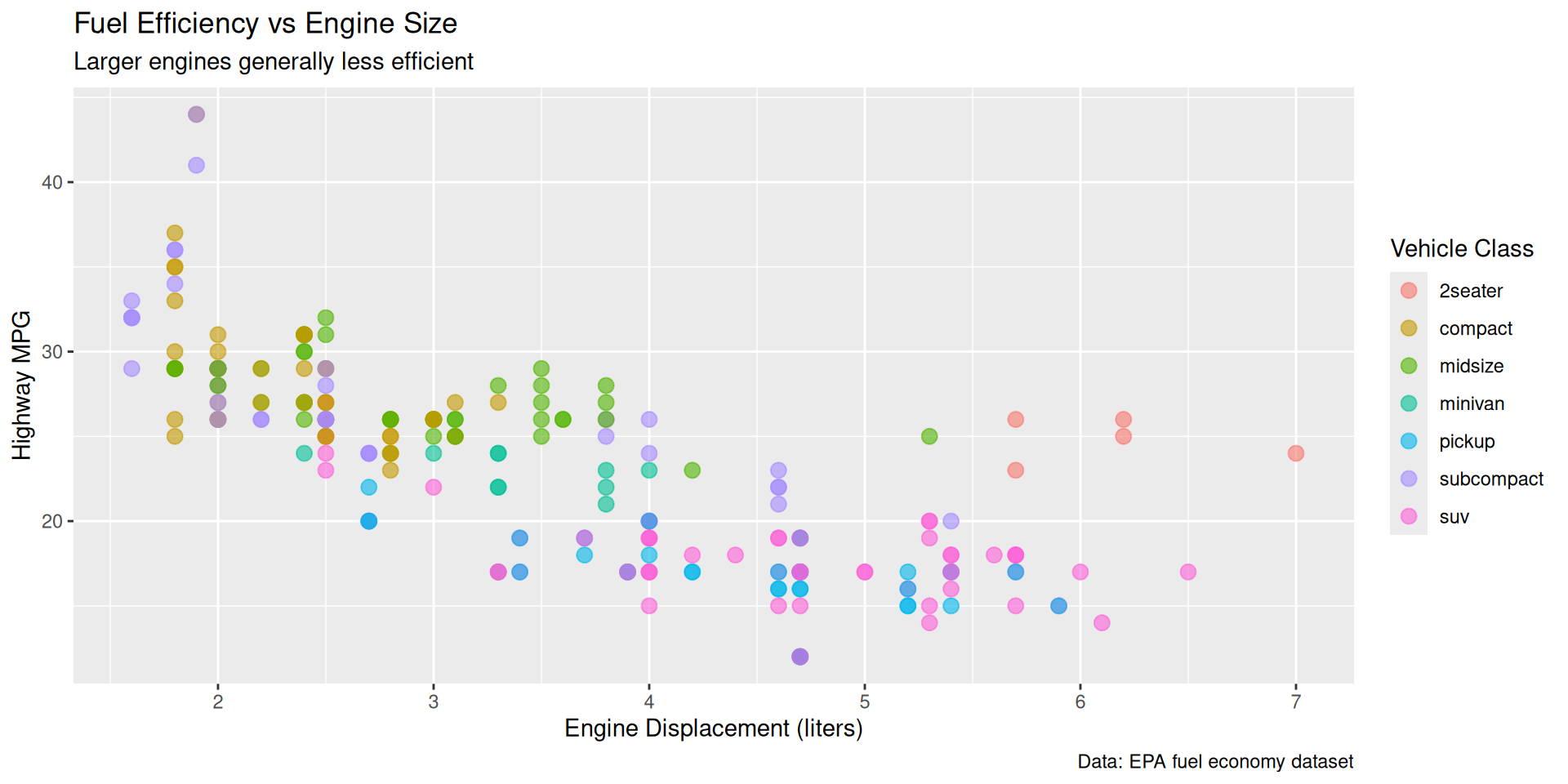
ggplot(mpg, aes(x = displ, y = hwy, color = class)) +
geom_point(size = 3, alpha = 0.6) +
labs(
title = "Fuel Efficiency vs Engine Size",
subtitle = "Larger engines generally less efficient",
x = "Engine Displacement (liters)",
y = "Highway MPG",
color = "Vehicle Class",
caption = "Data: EPA fuel economy dataset"
)
# Apply a theme
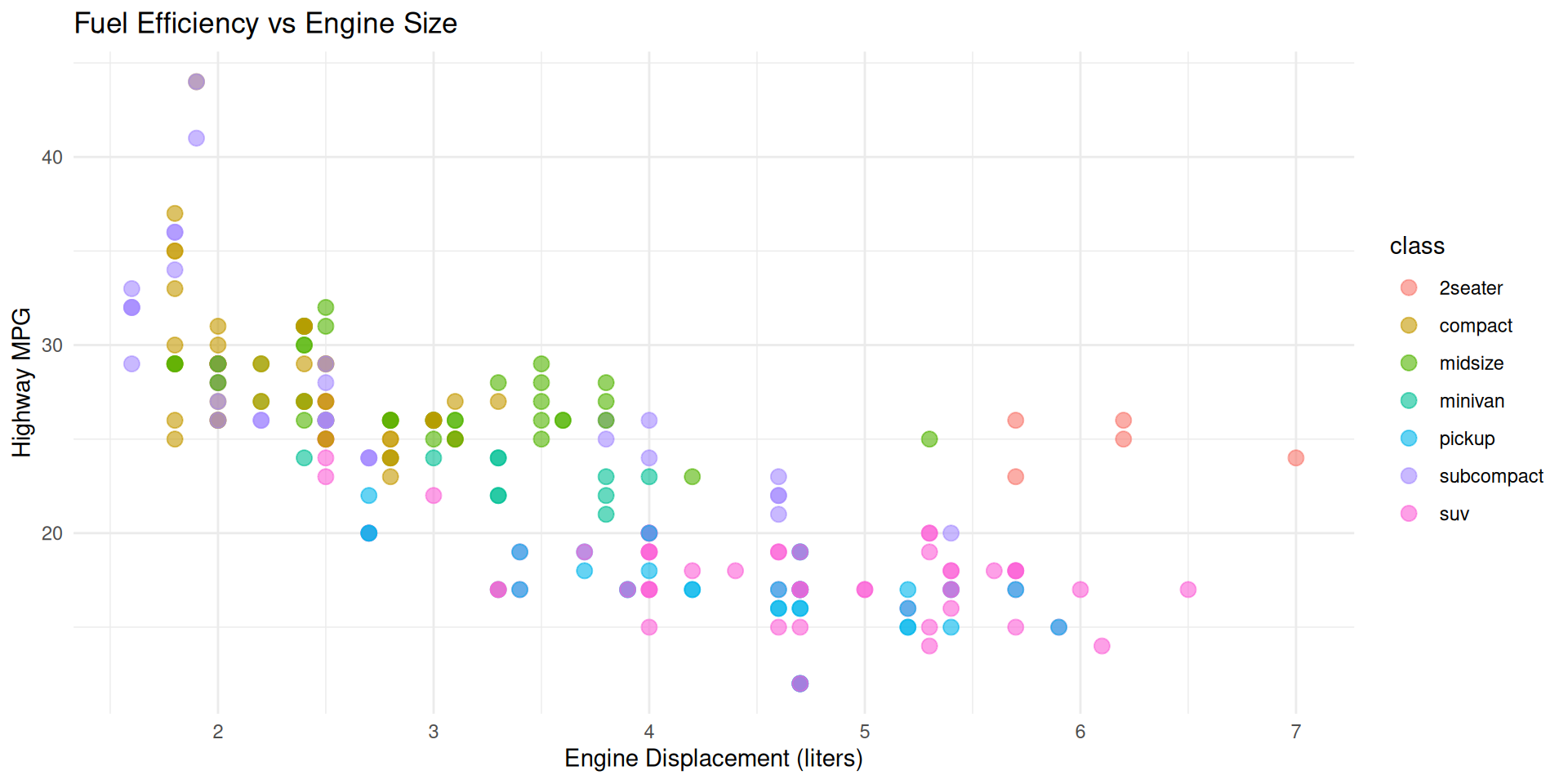
ggplot(mpg, aes(x = displ, y = hwy, color = class)) +
geom_point(size = 3, alpha = 0.6) +
labs(title = "Fuel Efficiency vs Engine Size",
x = "Engine Displacement (liters)",
y = "Highway MPG") +
theme_minimal()The code for each plot is available on the previous slides.


Locally Estimated Scatterplot Smoothing
Everything you need to know about lines
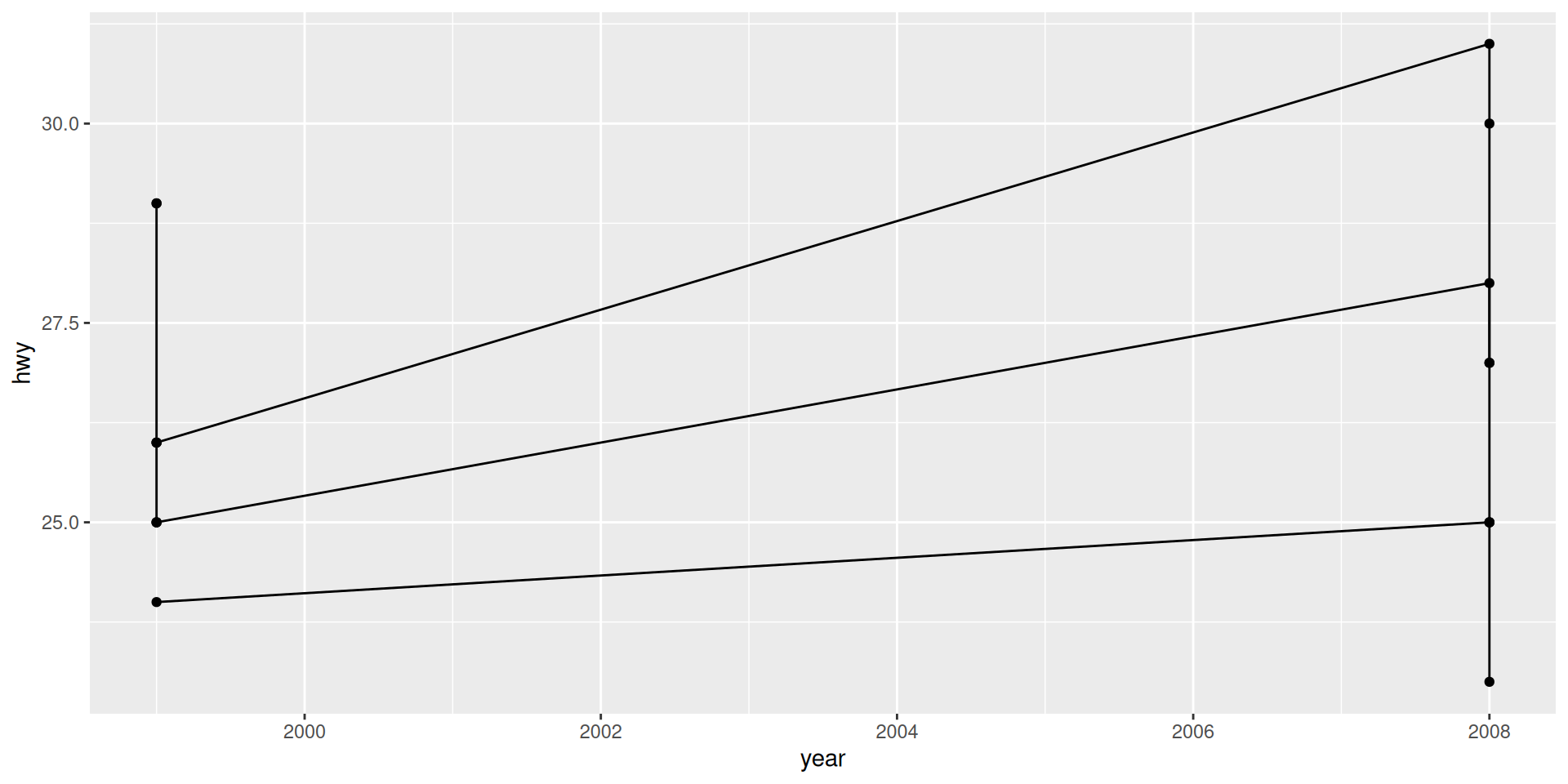
# 1. Straight line through data points (ordered by x)
ggplot(mpg %>% filter(manufacturer == "audi"),
aes(x = year, y = hwy)) +
geom_line(aes(group = model)) +
geom_point()
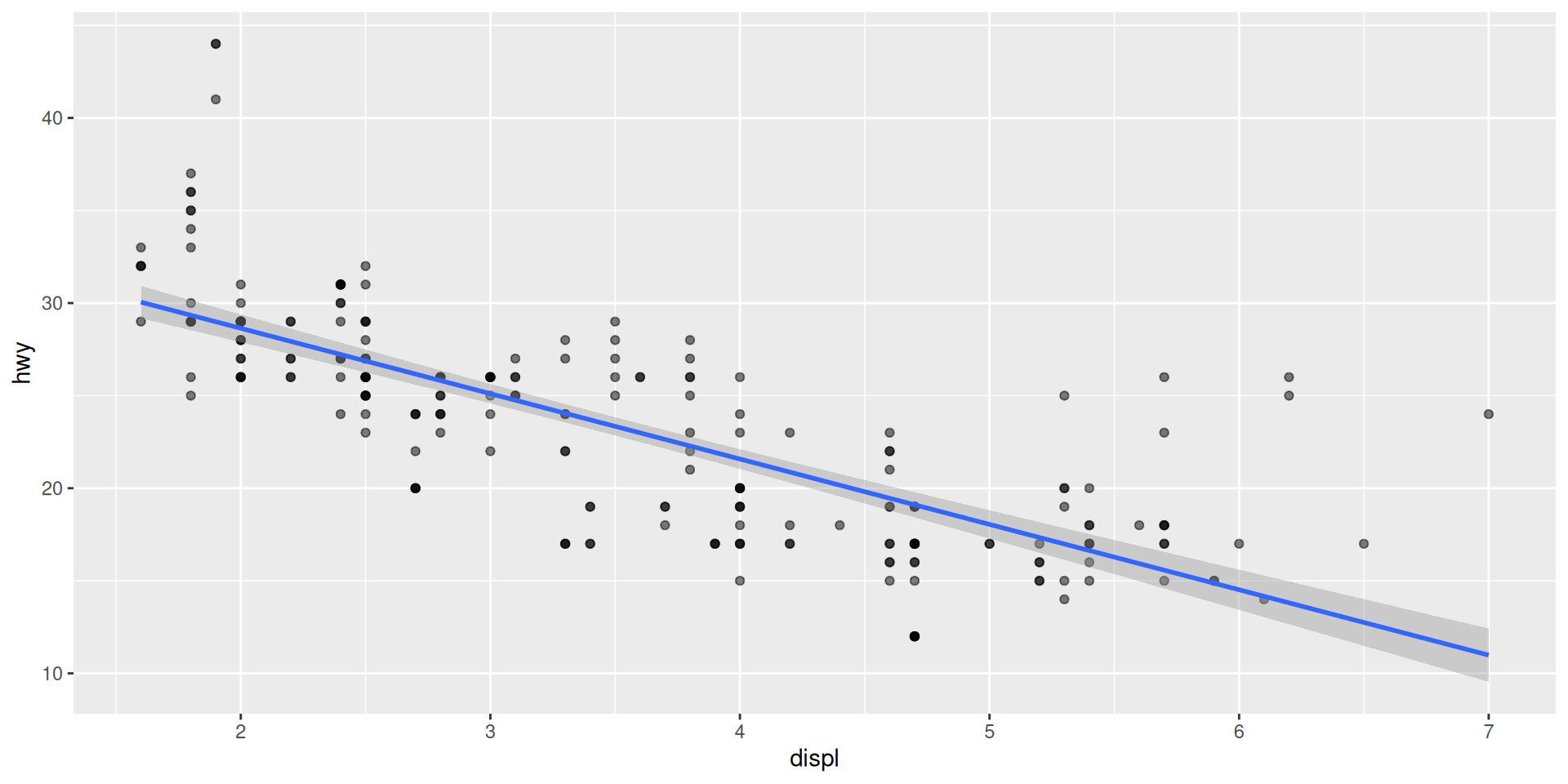
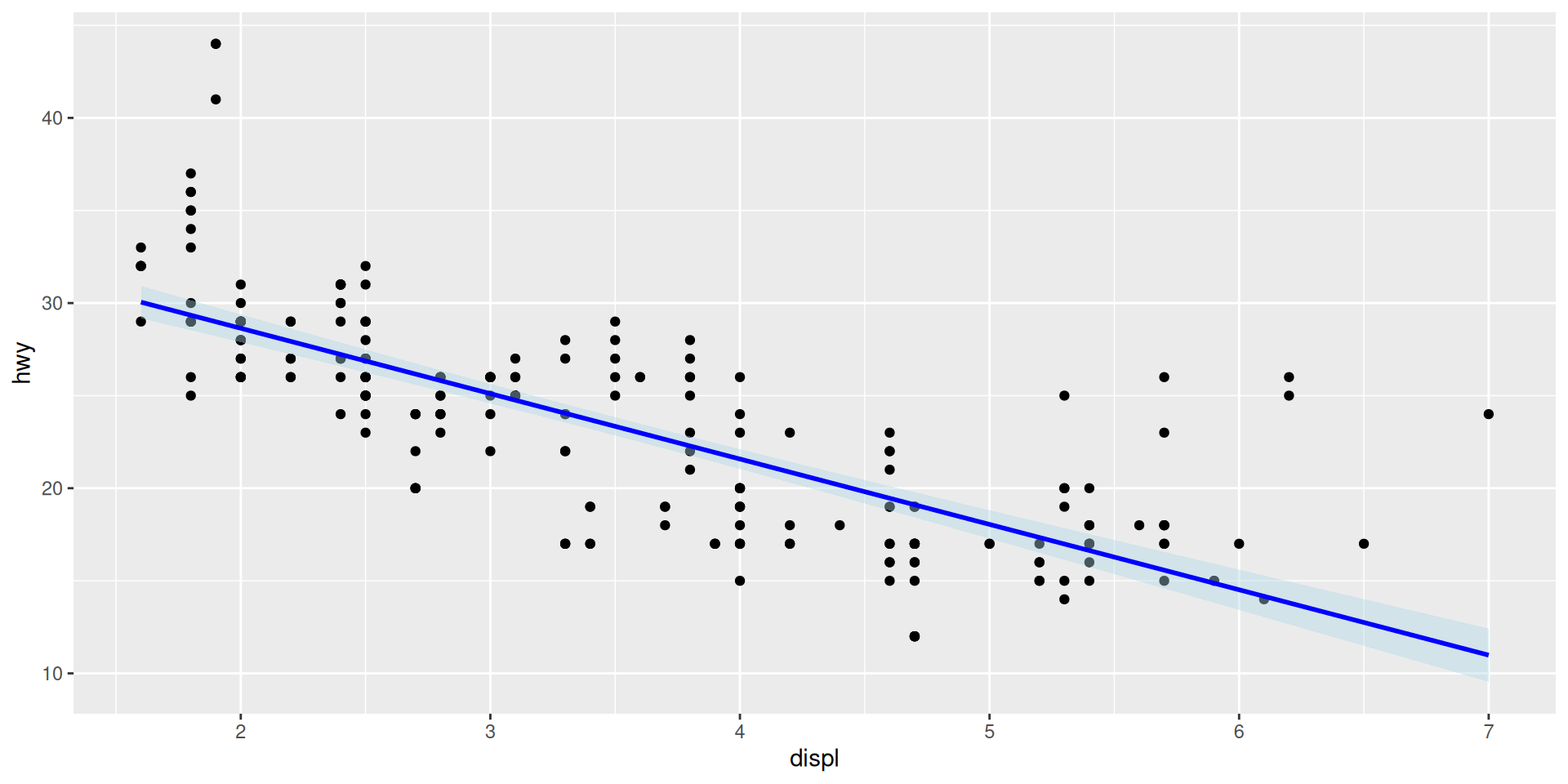
# 2. Linear regression line (lm)
ggplot(mpg, aes(x = displ, y = hwy)) +
geom_point() +
geom_smooth(method = "lm", # Linear model
se = TRUE, # Show confidence interval
color = "blue",
fill = "lightblue")
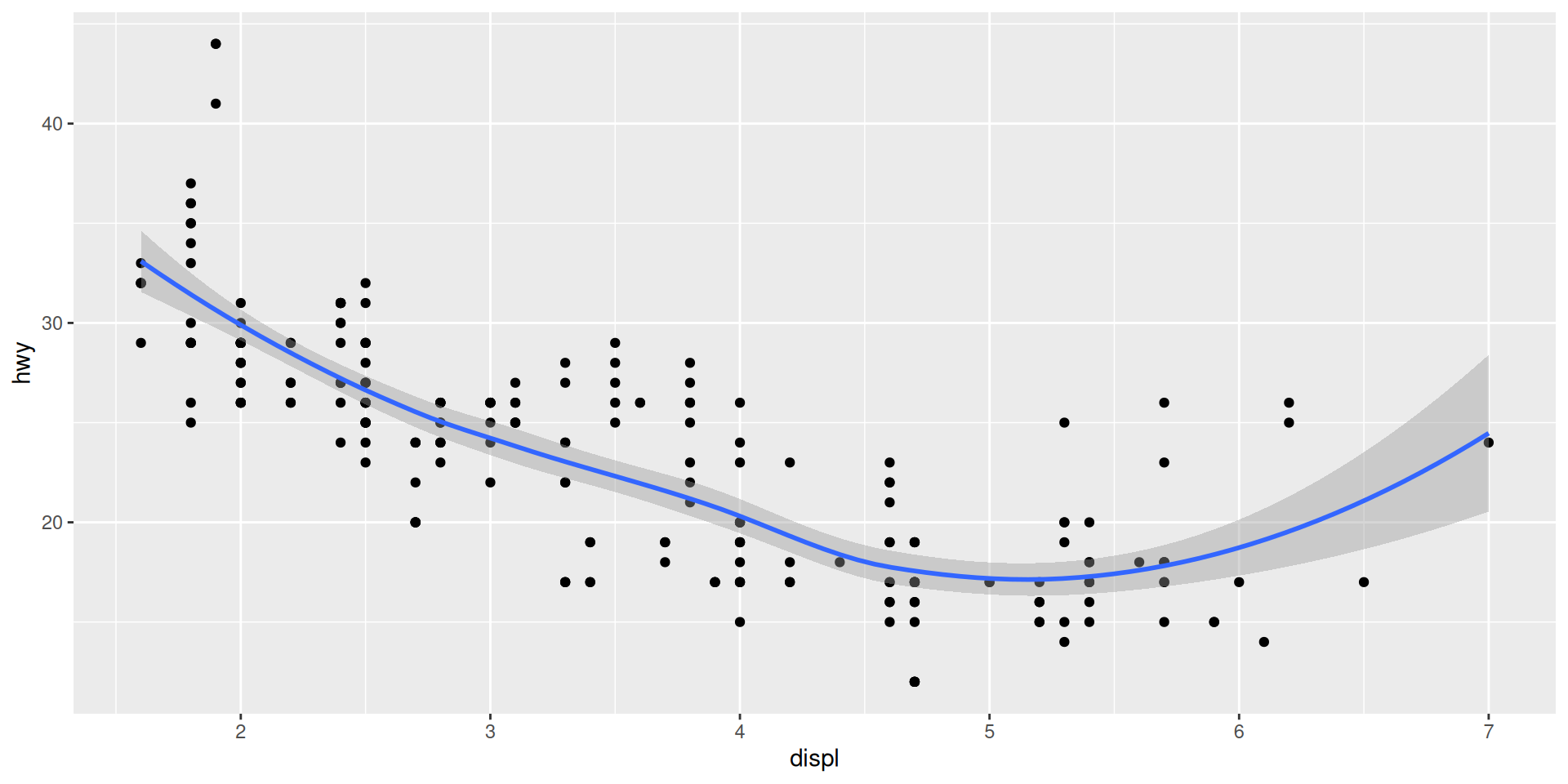
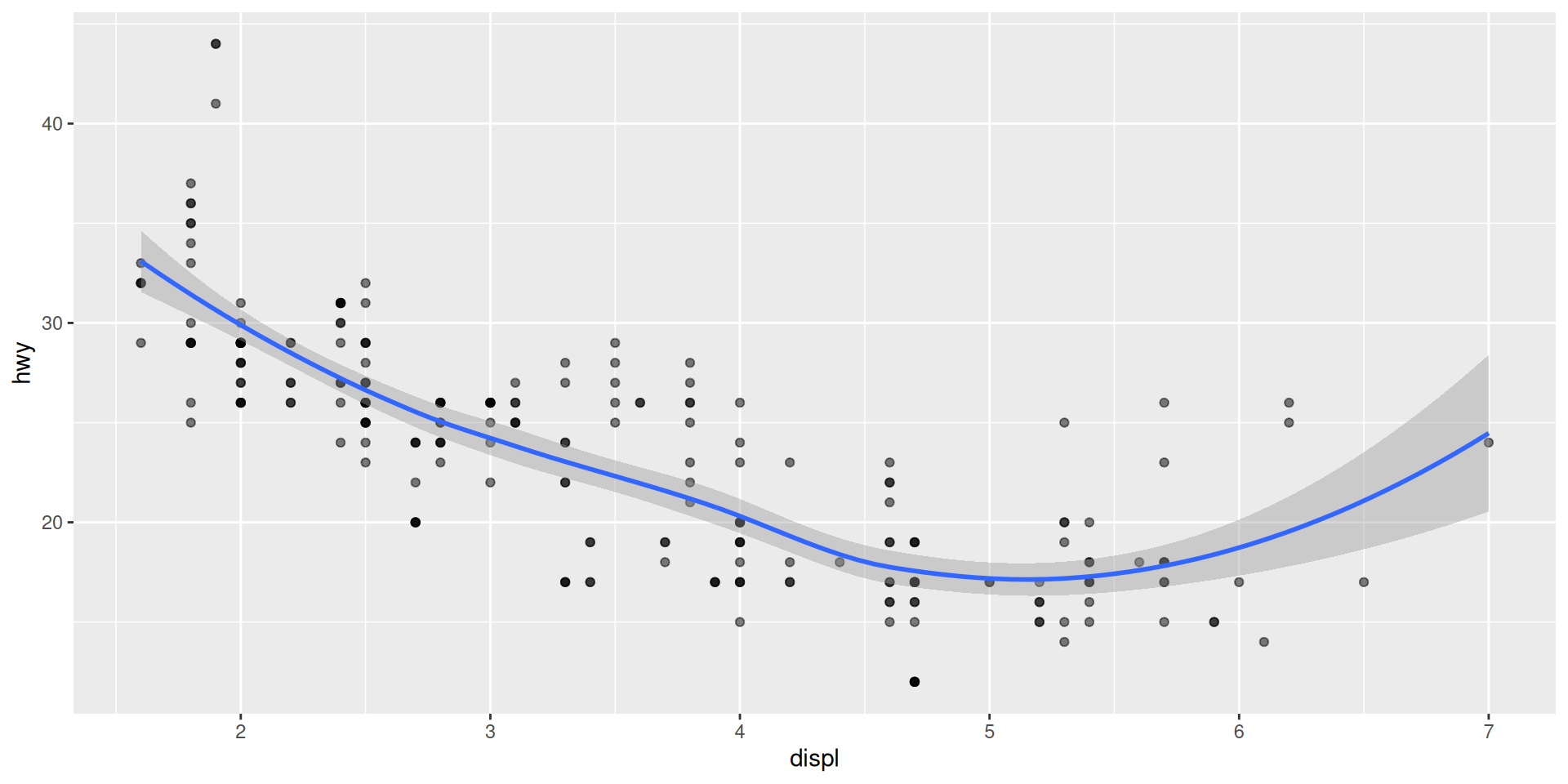
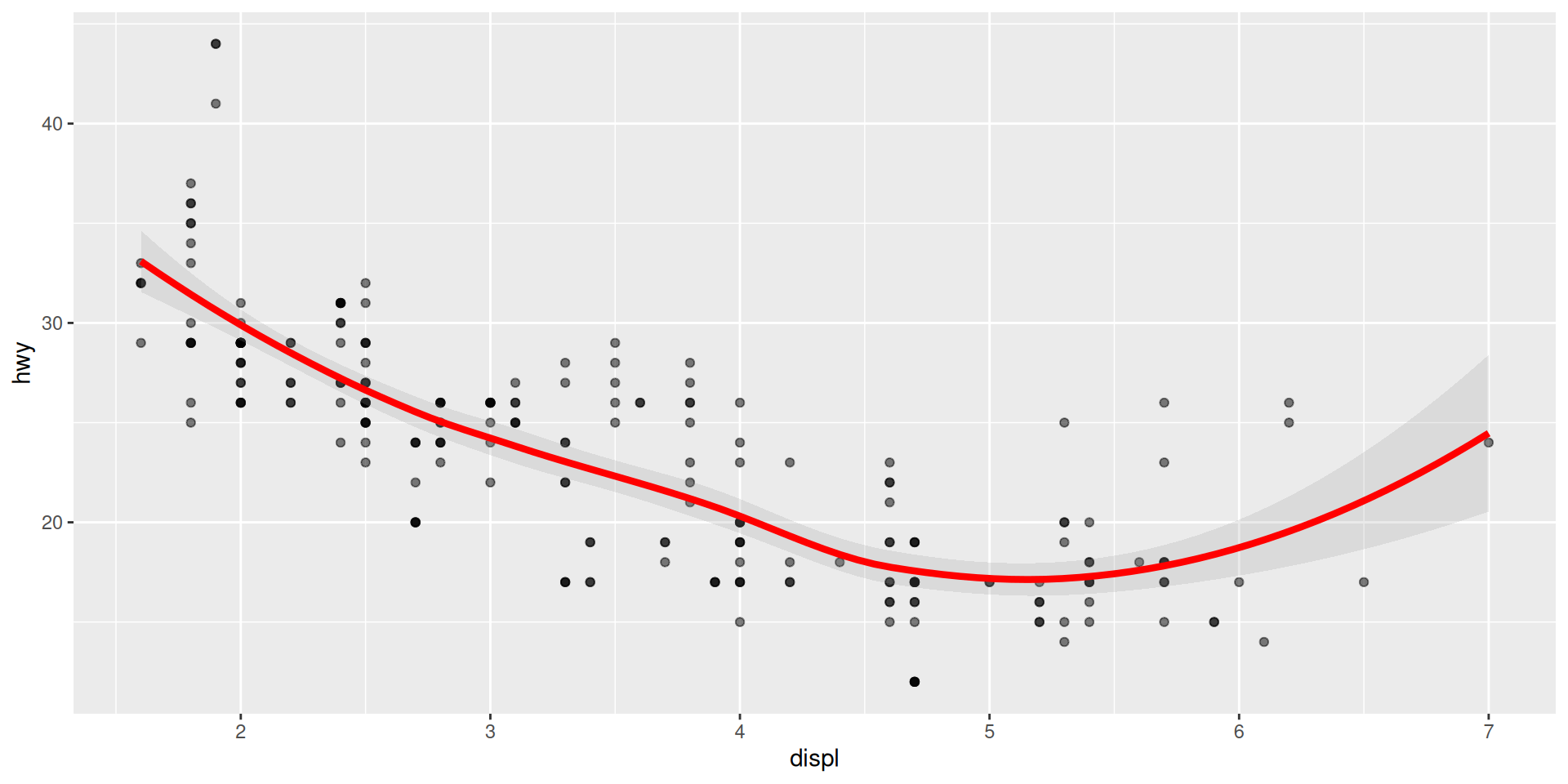
# 3. LOESS smooth (local regression - default)
ggplot(mpg, aes(x = displ, y = hwy)) +
geom_point() +
geom_smooth(method = "loess", # Local regression
span = 0.75, # Smoothness (0.1-1)
se = TRUE)
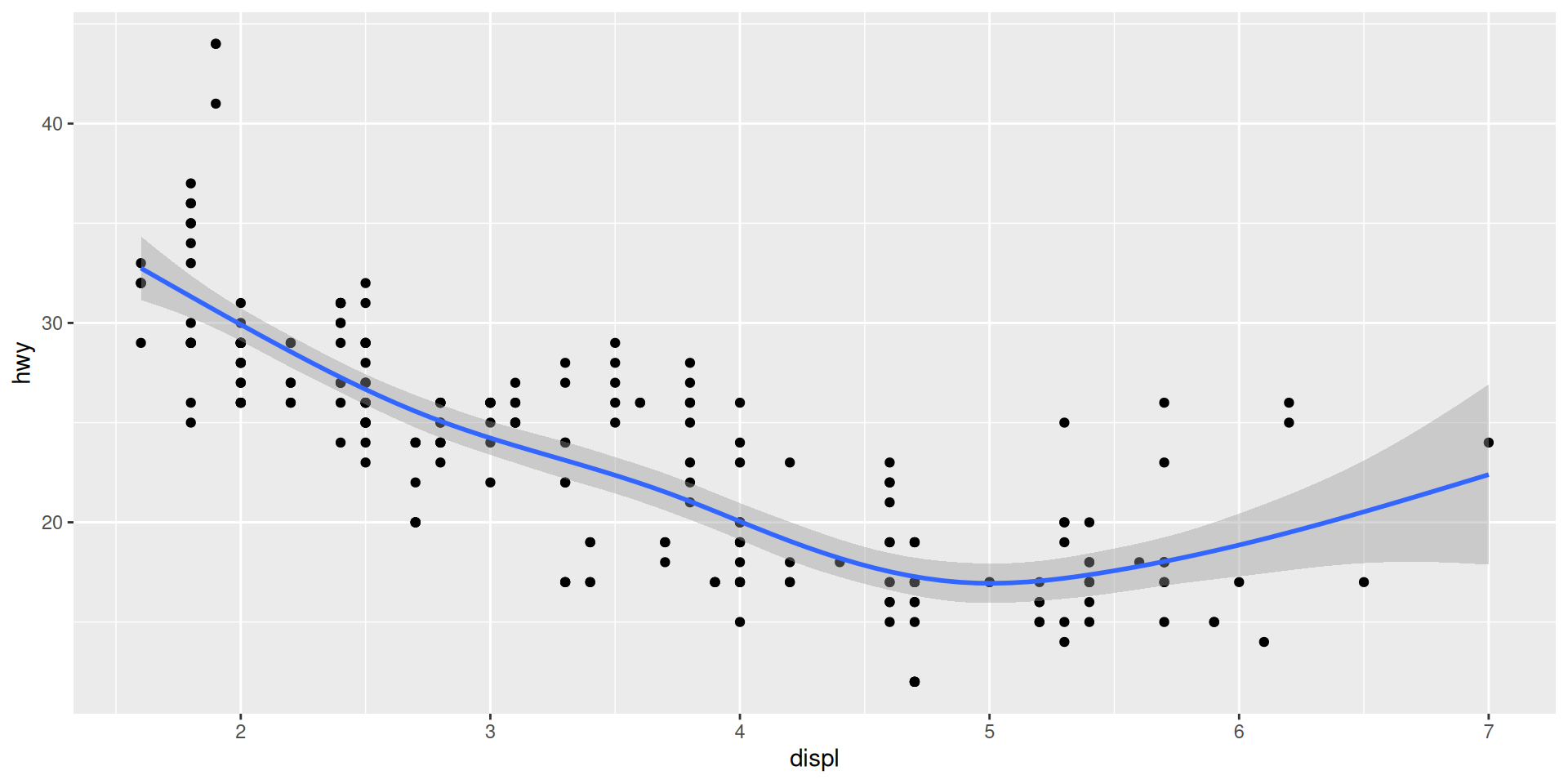
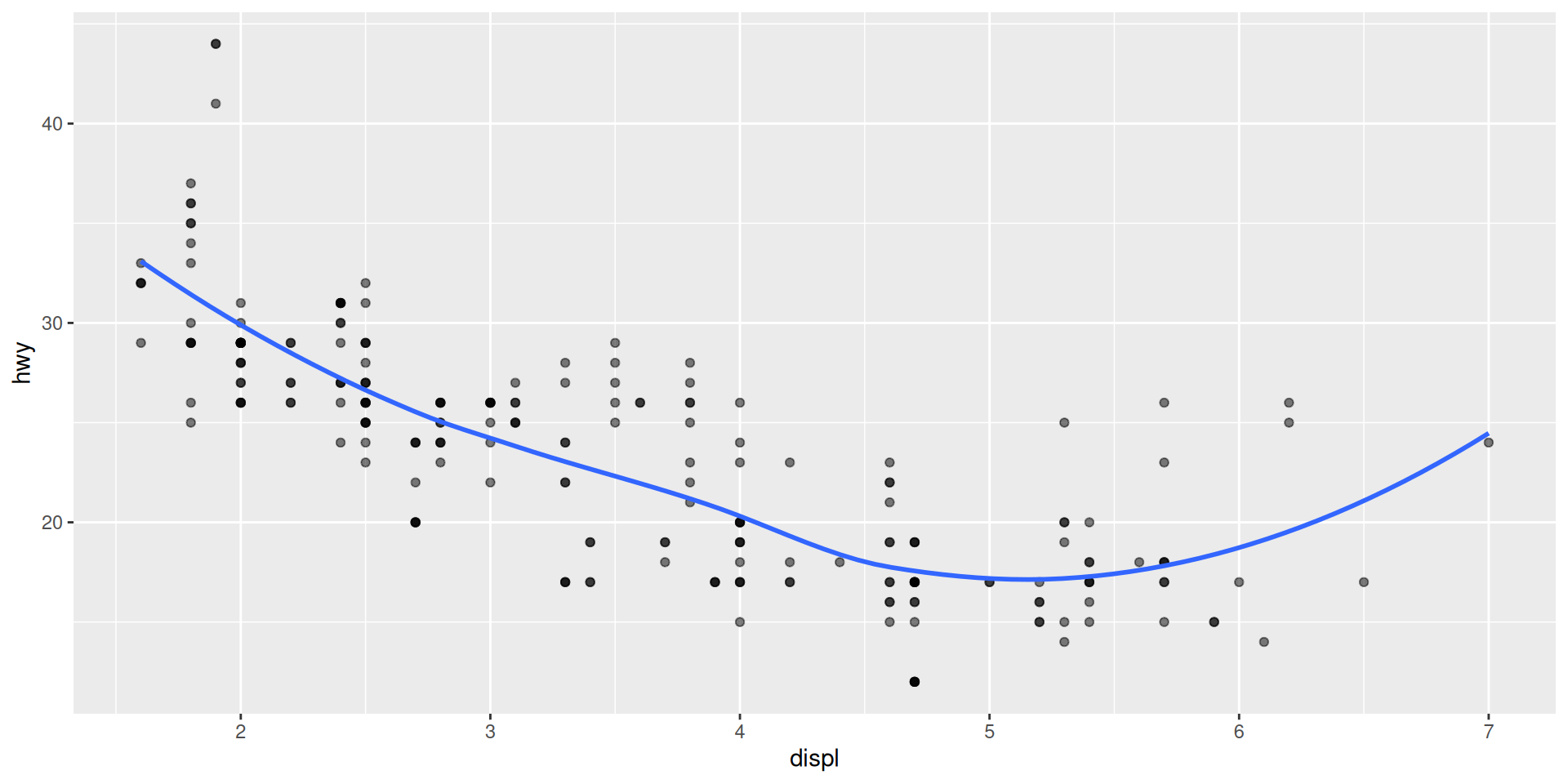
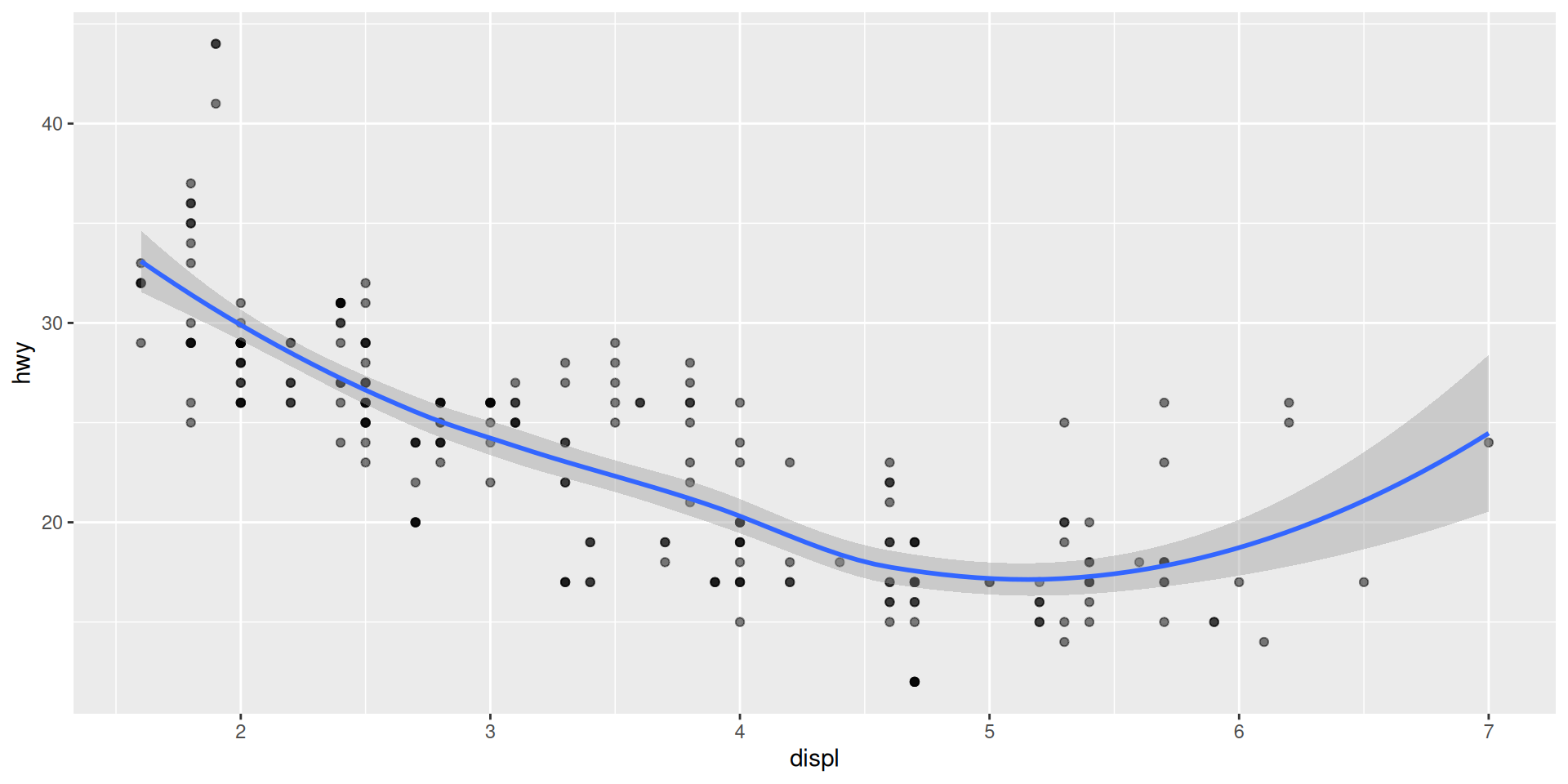
# 4. GAM (Generalized Additive Model)
ggplot(mpg, aes(x = displ, y = hwy)) +
geom_point() +
geom_smooth(method = "gam", # More flexible curves
formula = y ~ s(x, bs = "cs"))
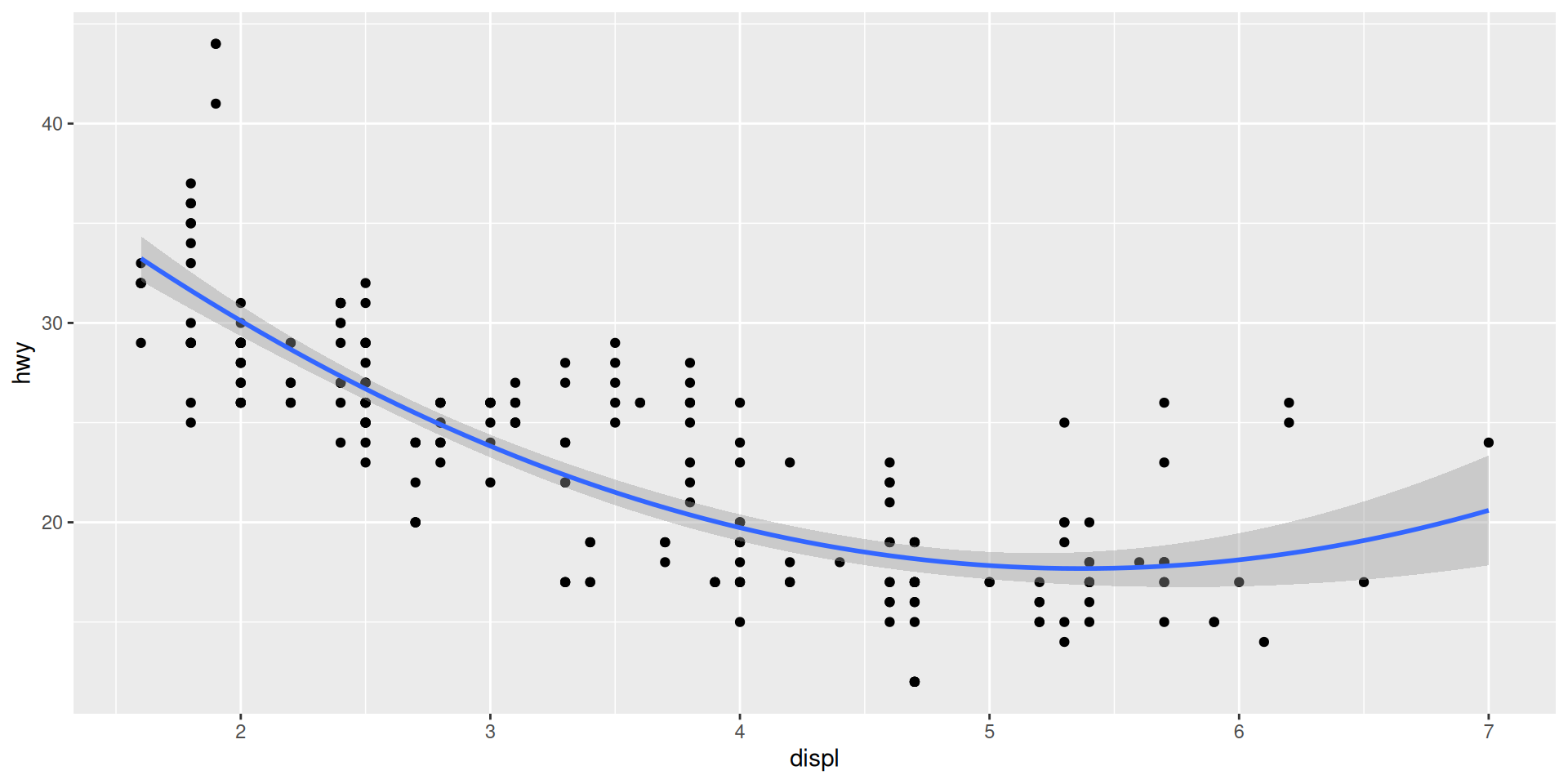
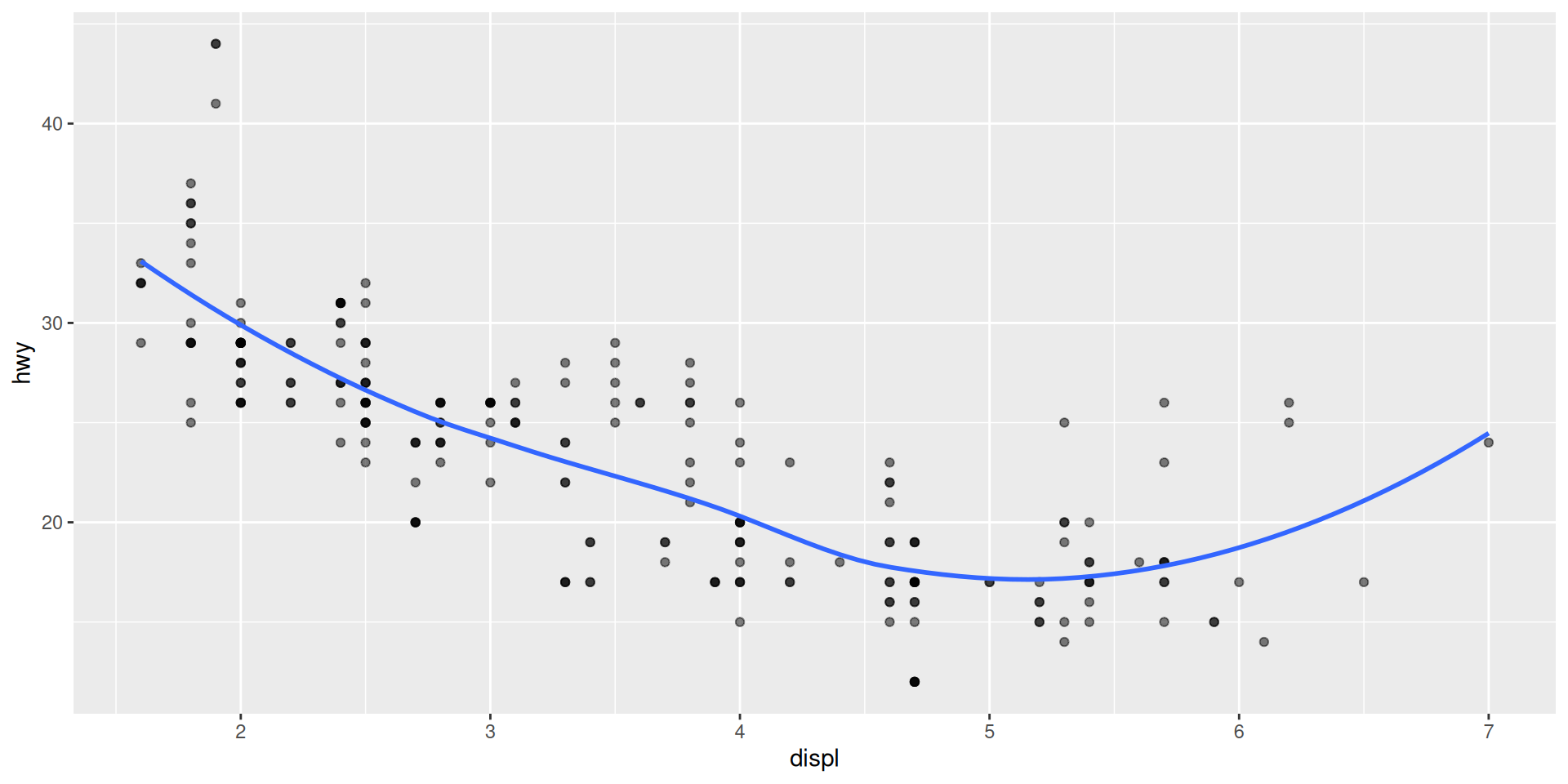
# 5. Polynomial regression
ggplot(mpg, aes(x = displ, y = hwy)) +
geom_point() +
geom_smooth(method = "lm",
formula = y ~ poly(x, 2)) # Quadratic
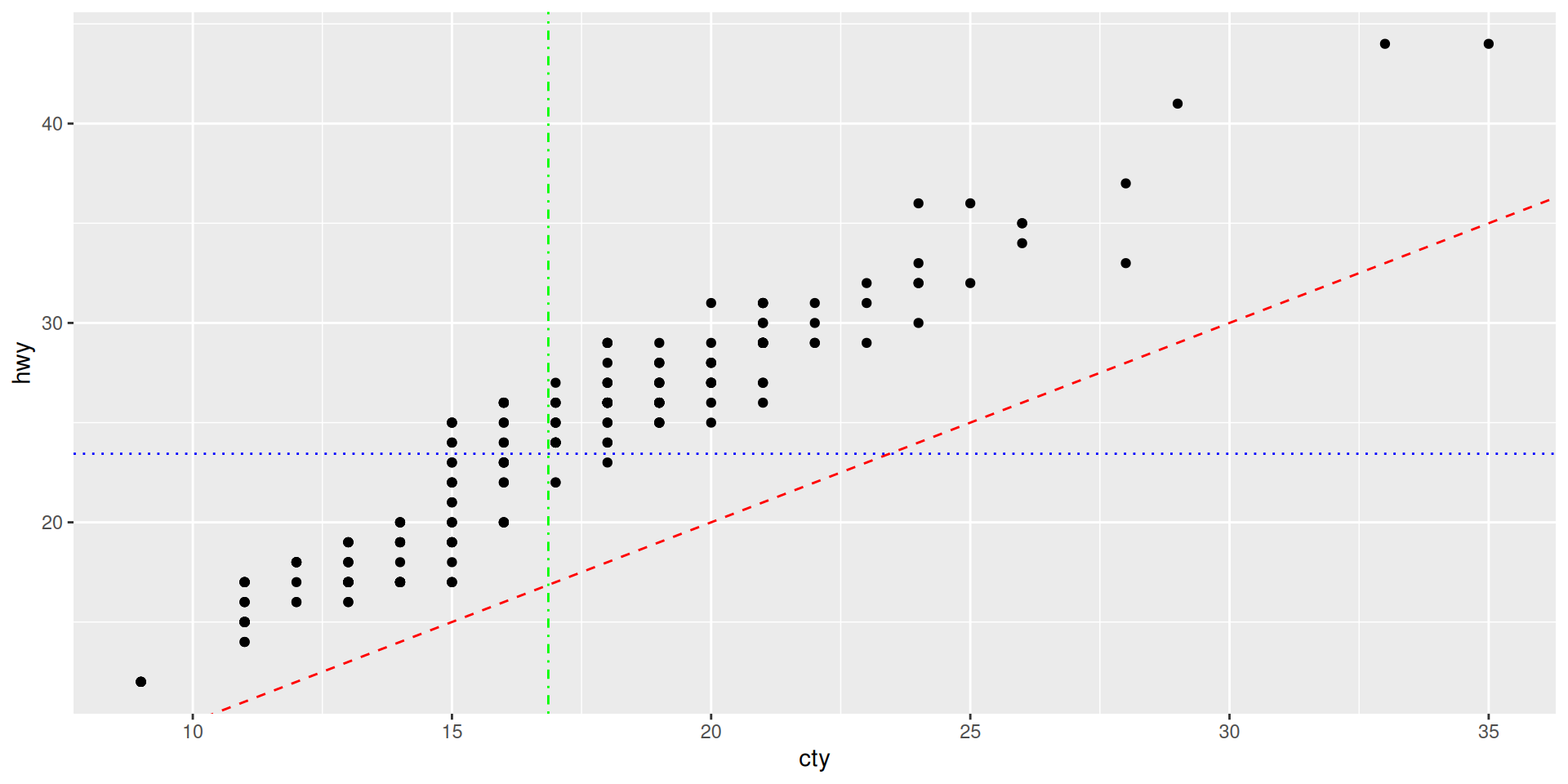
# 6. Reference lines (horizontal, vertical, diagonal)
ggplot(mpg, aes(x = cty, y = hwy)) +
geom_point() +
geom_abline(intercept = 0, slope = 1, # Diagonal: y = x
linetype = "dashed",
color = "red") +
geom_hline(yintercept = mean(mpg$hwy), # Horizontal
linetype = "dotted",
color = "blue") +
geom_vline(xintercept = mean(mpg$cty), # Vertical
linetype = "dotdash",
color = "green")Everything you need to know about lines


# Available linetypes
df <- data.frame(
x = 1:10,
y = rep(1:6, length.out = 10)
)
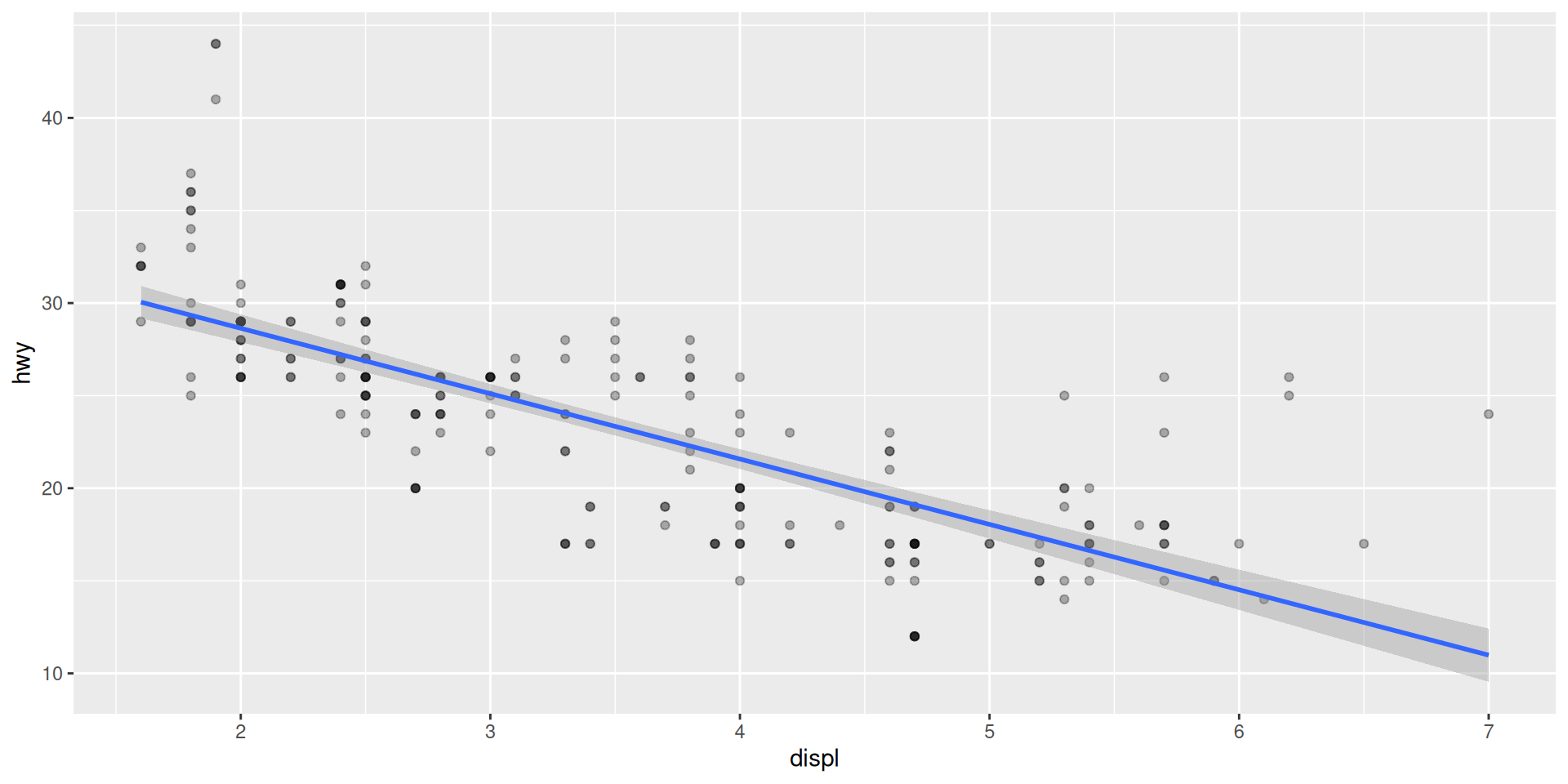
ggplot(mpg, aes(x = displ, y = hwy)) +
geom_point(alpha = 0.3) +
geom_smooth(
method = "lm",
linetype = "solid"
)
# Options for linetype:
# "solid" (or 1)
# "dashed" (or 2)
# "dotted" (or 3)
# "dotdash" (or 4)
# "longdash" (or 5)
# "twodash" (or 6)
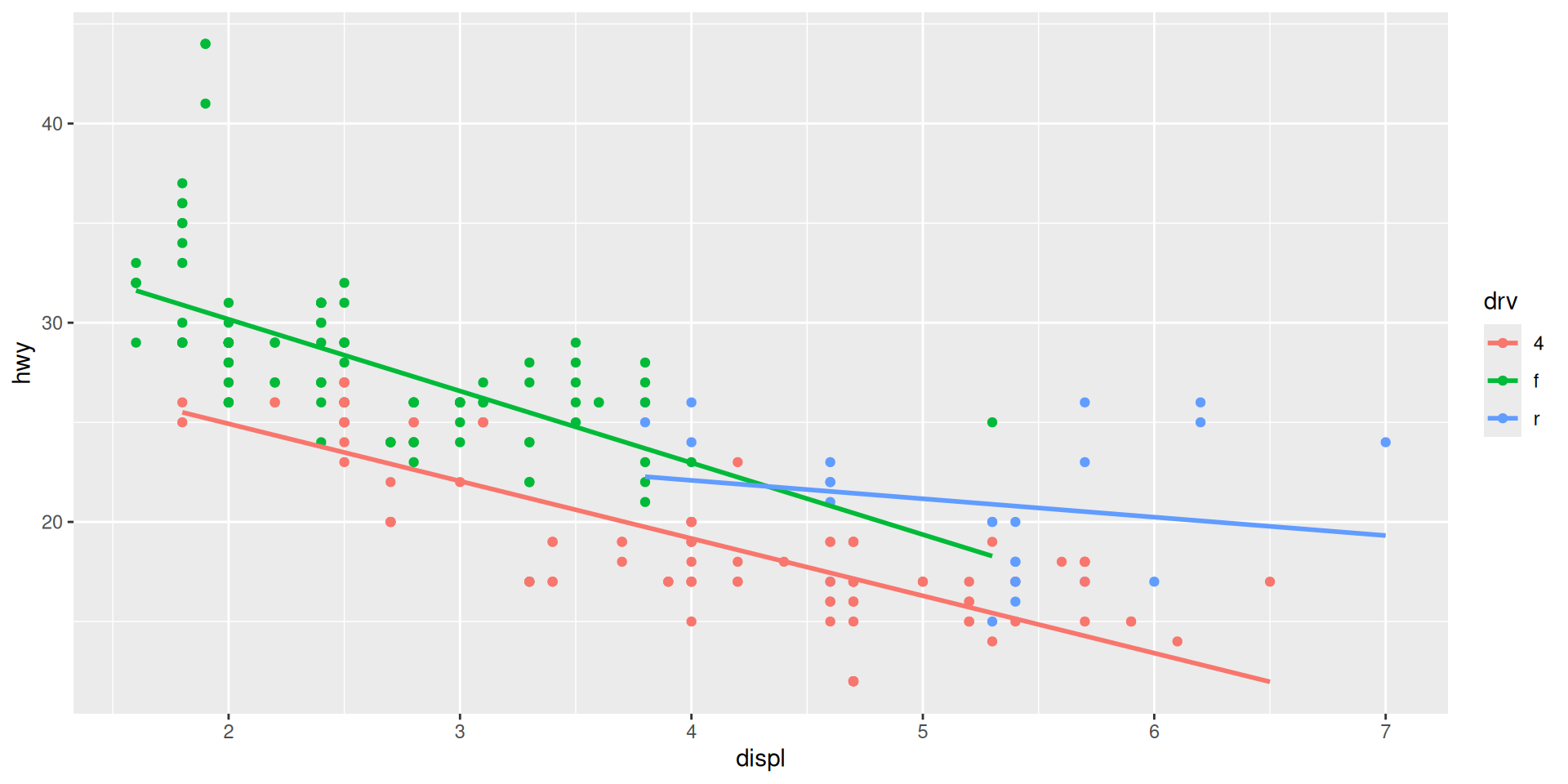
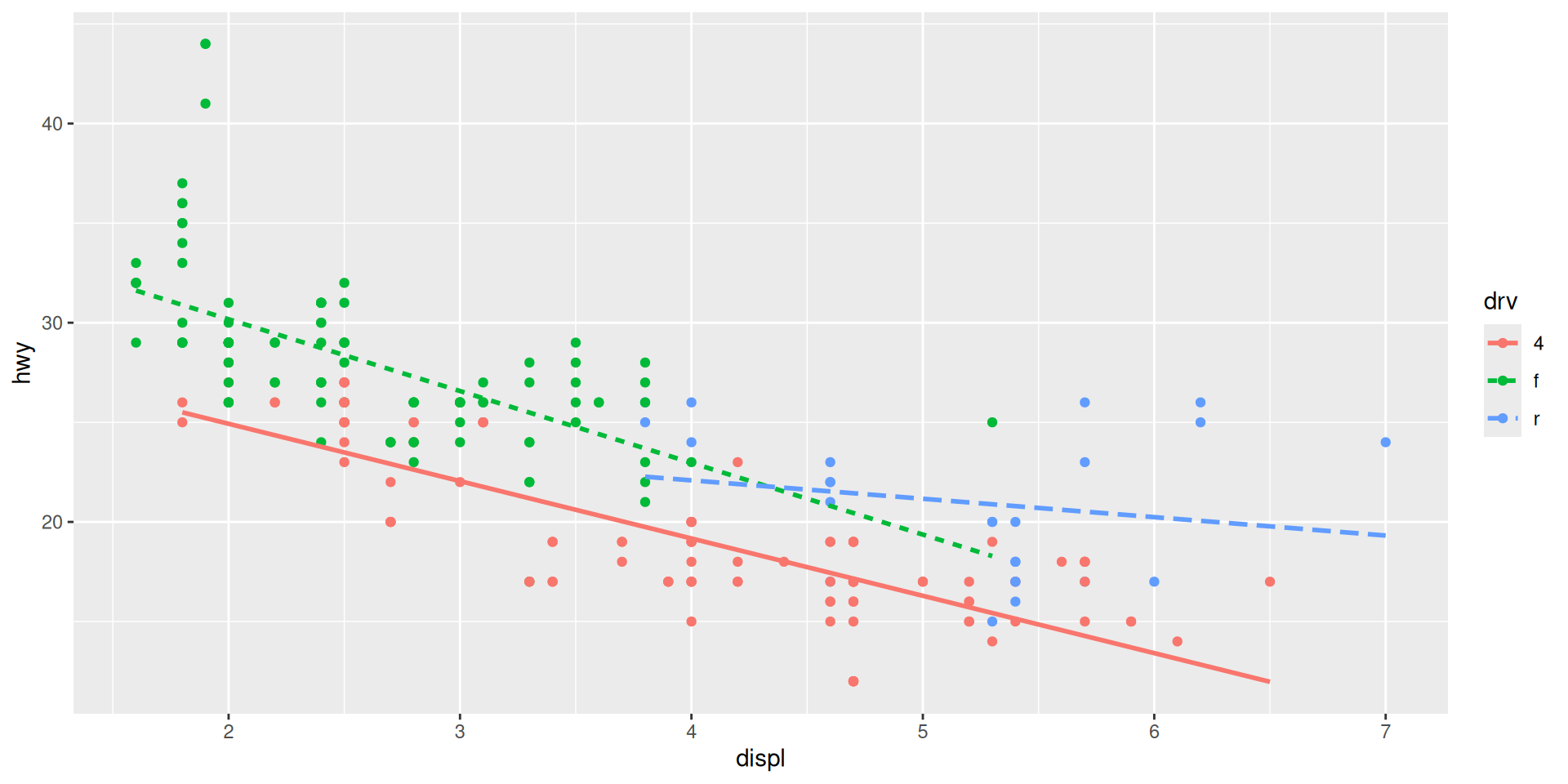
# Example with multiple lines
ggplot(mpg, aes(x = displ, y = hwy,
color = drv)) +
geom_point() +
geom_smooth(method = "lm",
se = FALSE,
aes(linetype = drv))
# Control line appearance
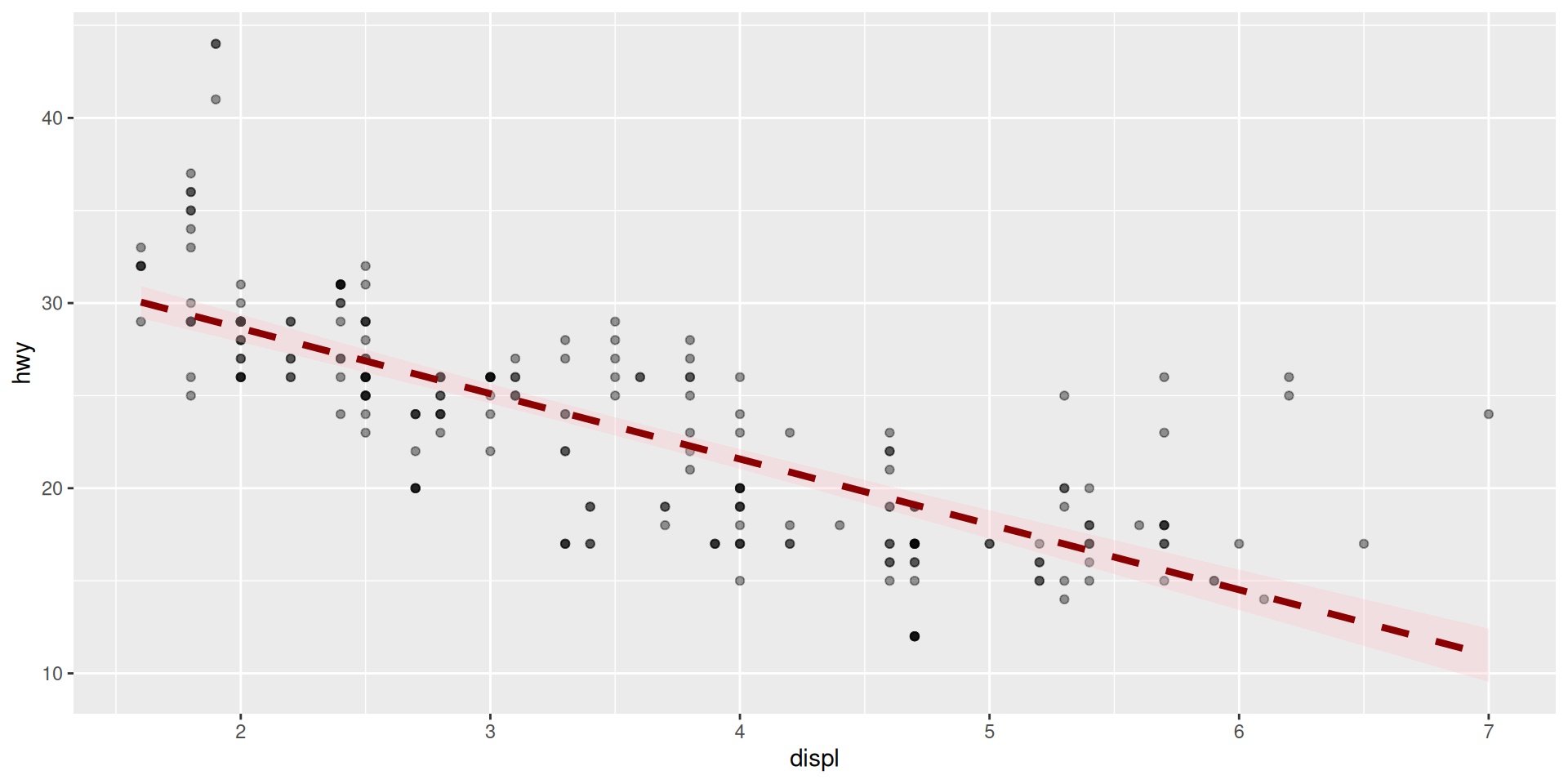
ggplot(mpg, aes(x = displ, y = hwy)) +
geom_point(alpha = 0.4) +
geom_smooth(
method = "lm",
se = TRUE,
color = "darkred", # Line color
fill = "pink", # CI fill color
linewidth = 1.5, # Line width
linetype = "dashed", # Line type
alpha = 0.3 # CI transparency
)
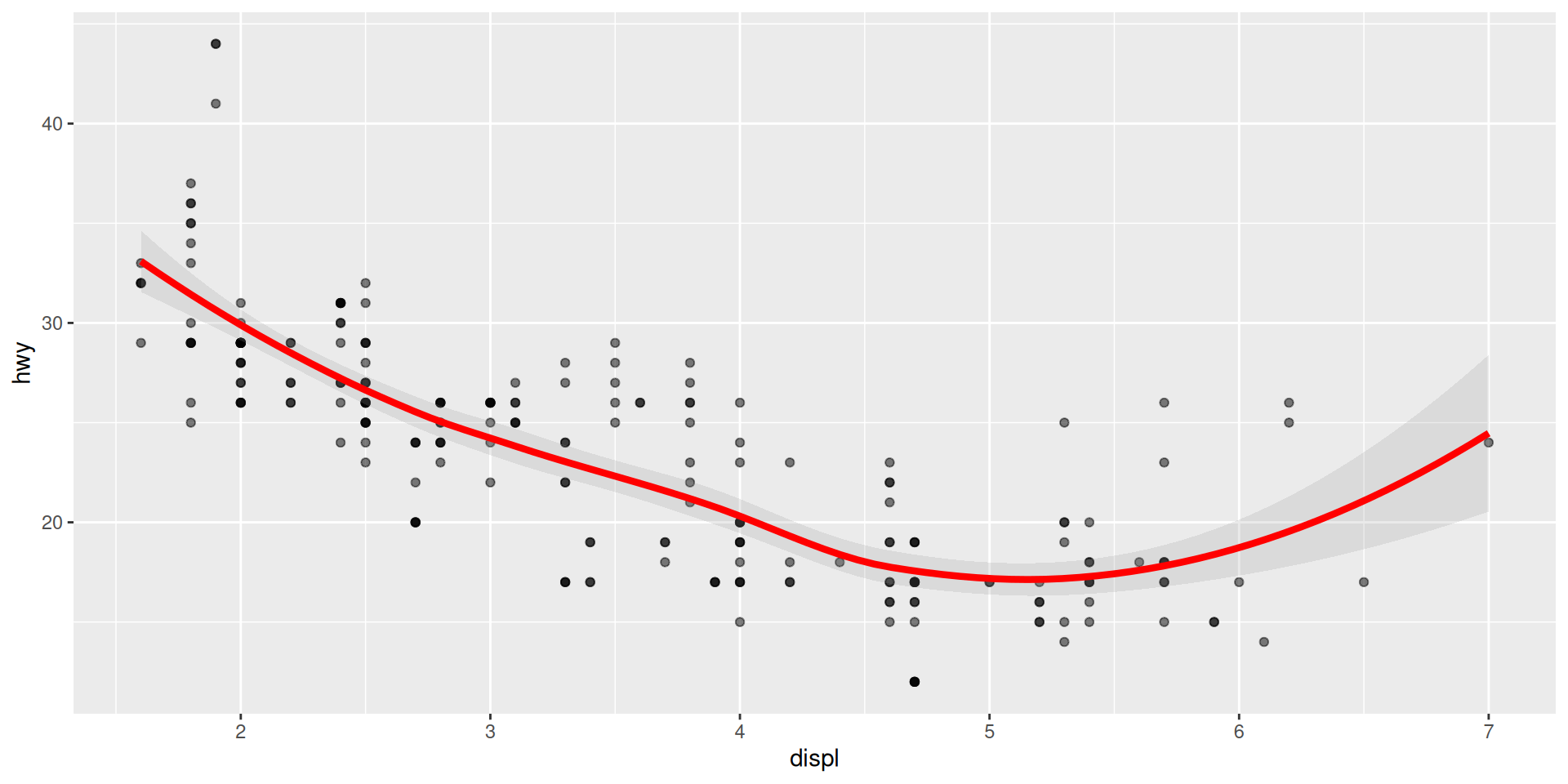
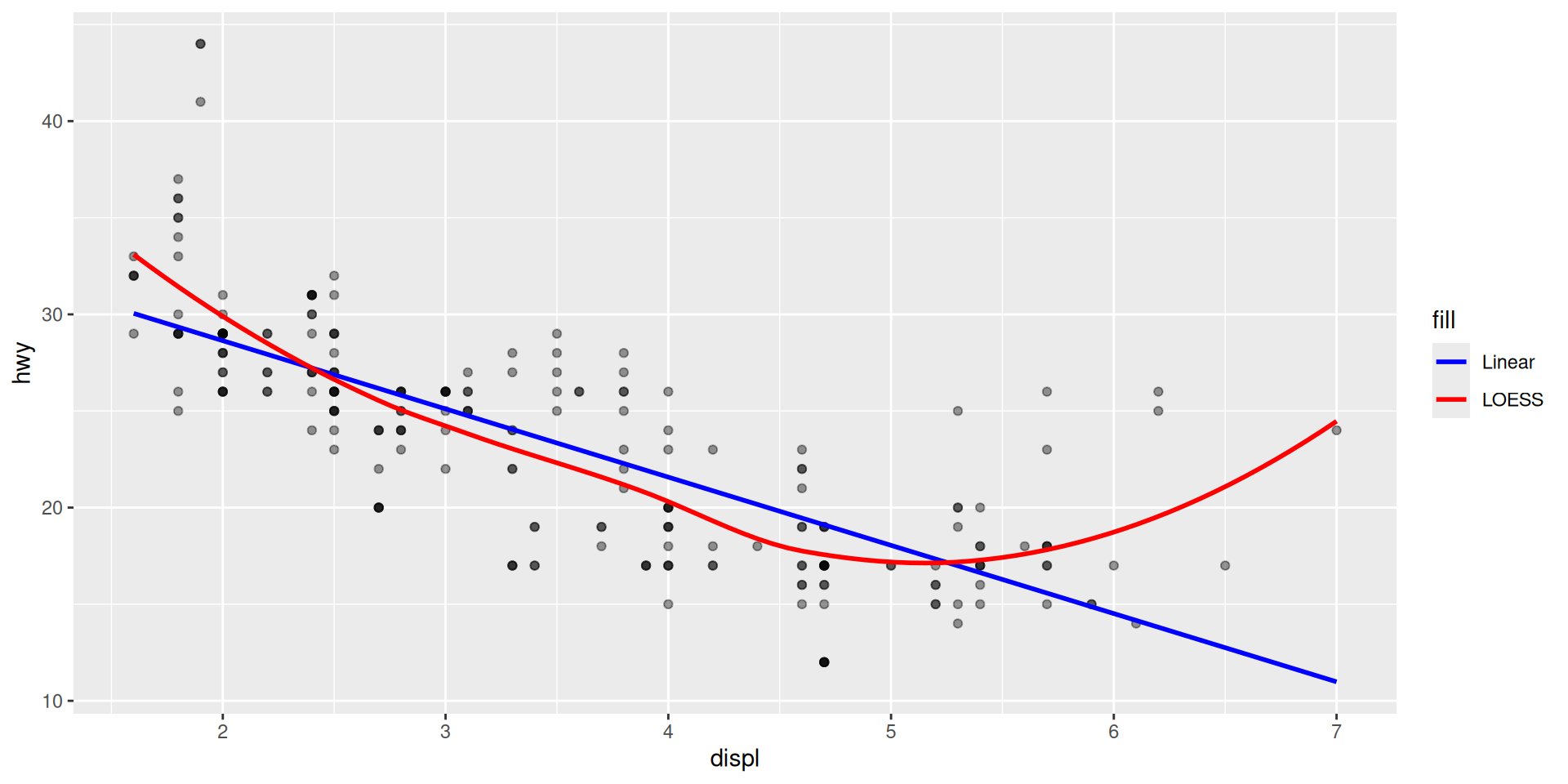
# Multiple smooths with different methods
ggplot(mpg, aes(x = displ, y = hwy)) +
geom_point(alpha = 0.4) +
geom_smooth(
method = "lm",
se = FALSE,
color = "blue",
aes(fill = "Linear")
) +
geom_smooth(
method = "loess",
se = FALSE,
color = "red",
aes(fill = "LOESS")
)
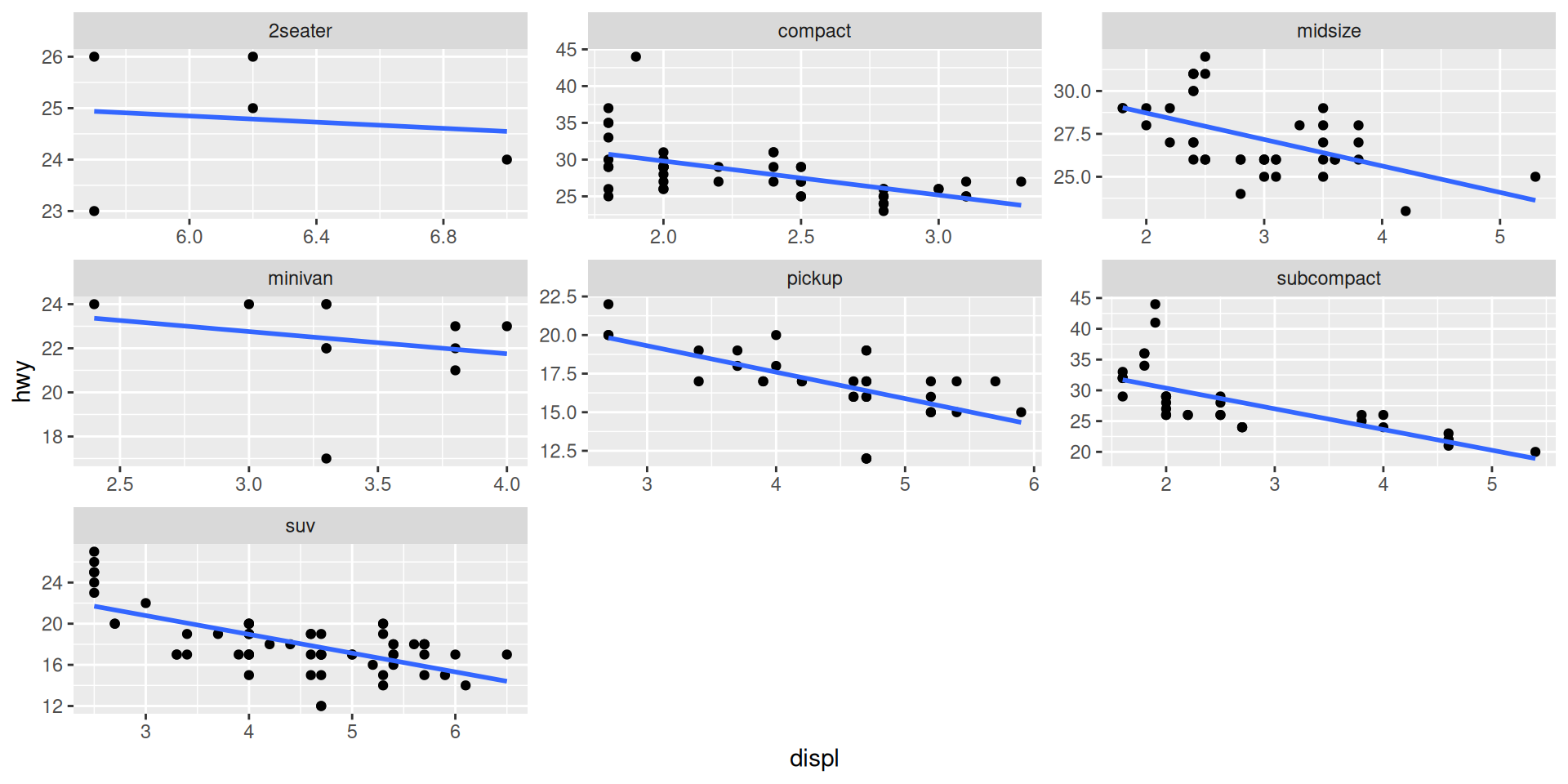
Split Your Plot by Groups ๐
Create separate panels for different categories
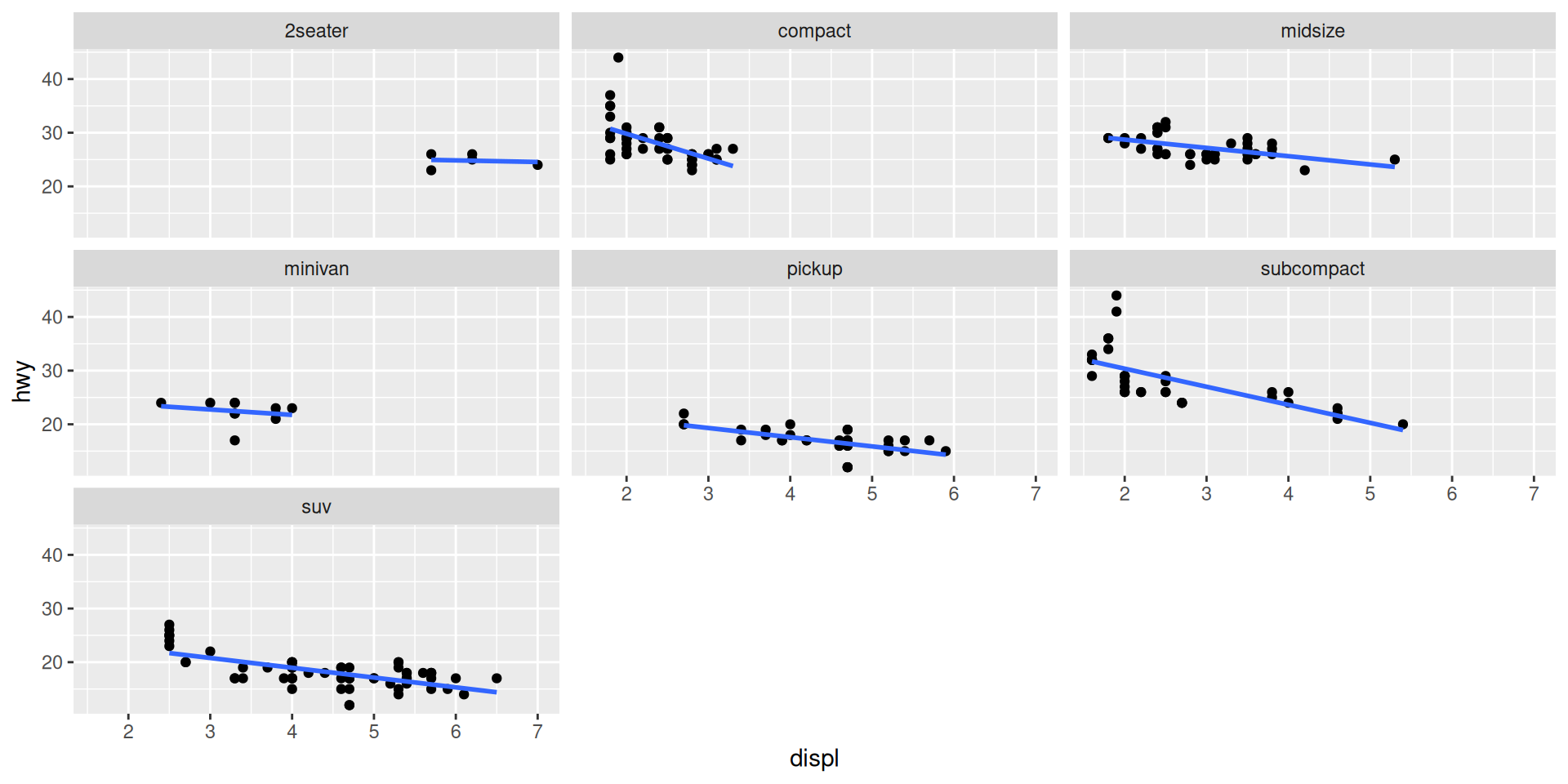
# Facet by one variable
ggplot(mpg, aes(x = displ, y = hwy)) +
geom_point() +
geom_smooth(method = "lm", se = FALSE) +
facet_wrap(~ class)
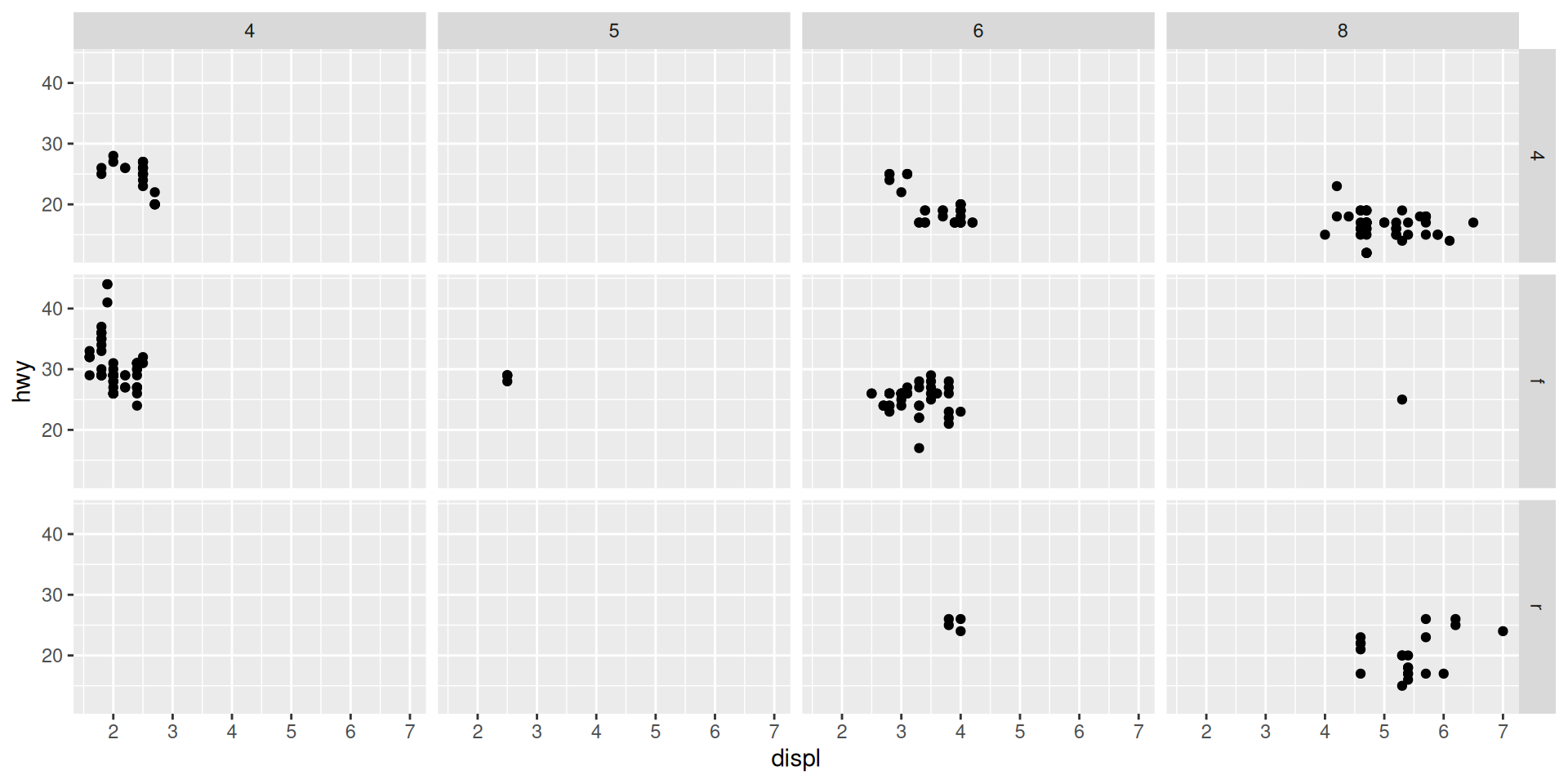
# Facet by two variables (grid)
ggplot(mpg, aes(x = displ, y = hwy)) +
geom_point() +
facet_grid(drv ~ cyl)
# Free scales (each panel has own scale)
ggplot(mpg, aes(x = displ, y = hwy)) +
geom_point() +
geom_smooth(method = "lm", se = FALSE) +
facet_wrap(~ class, scales = "free")
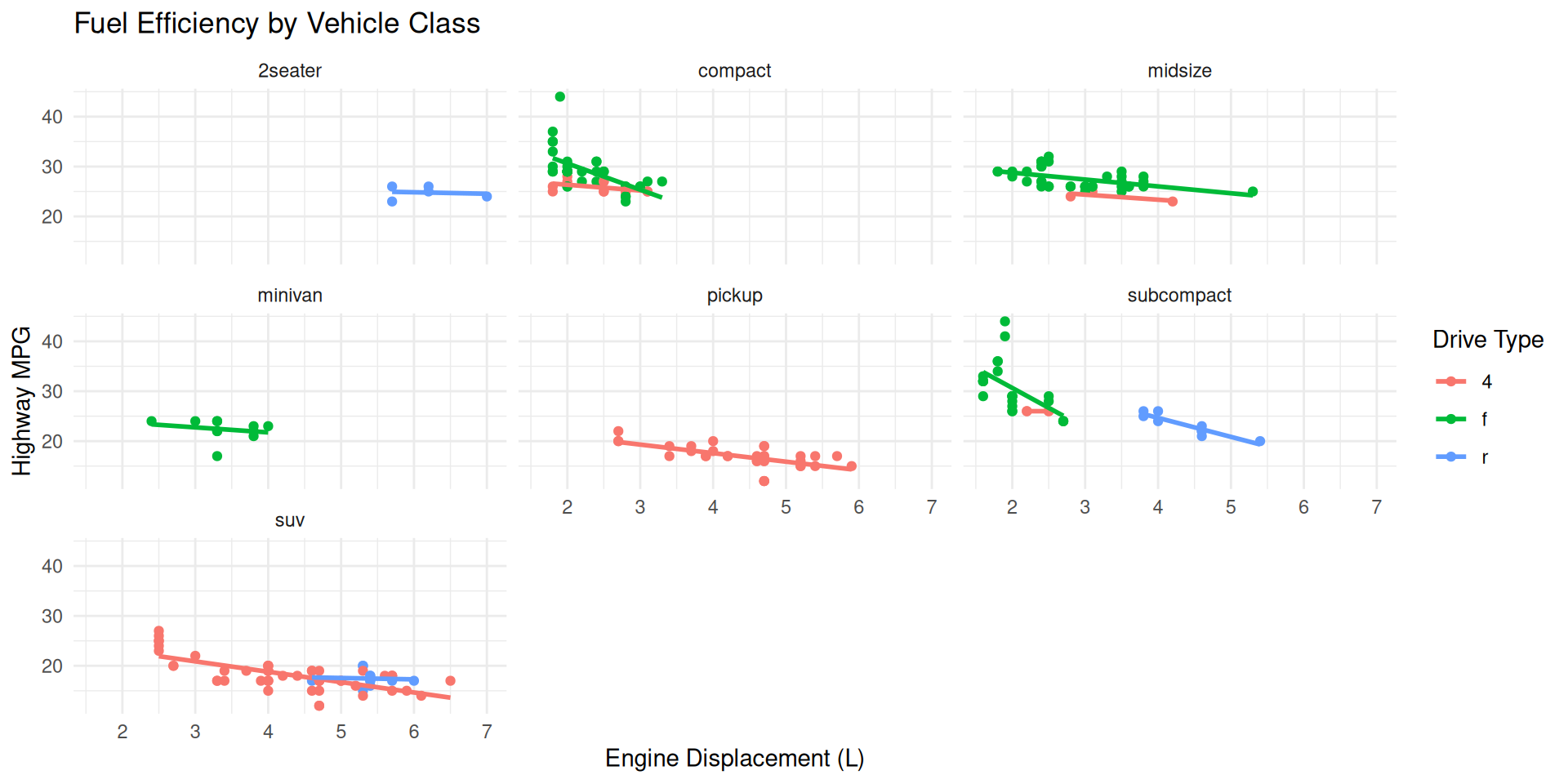
# Facet with different rows/columns
ggplot(mpg, aes(x = displ, y = hwy, color = drv)) +
geom_point() +
geom_smooth(method = "lm", se = FALSE) +
facet_wrap(~ class, ncol = 3) +
theme_minimal() +
labs(
title = "Fuel Efficiency by Vehicle Class",
x = "Engine Displacement (L)",
y = "Highway MPG",
color = "Drive Type"
)


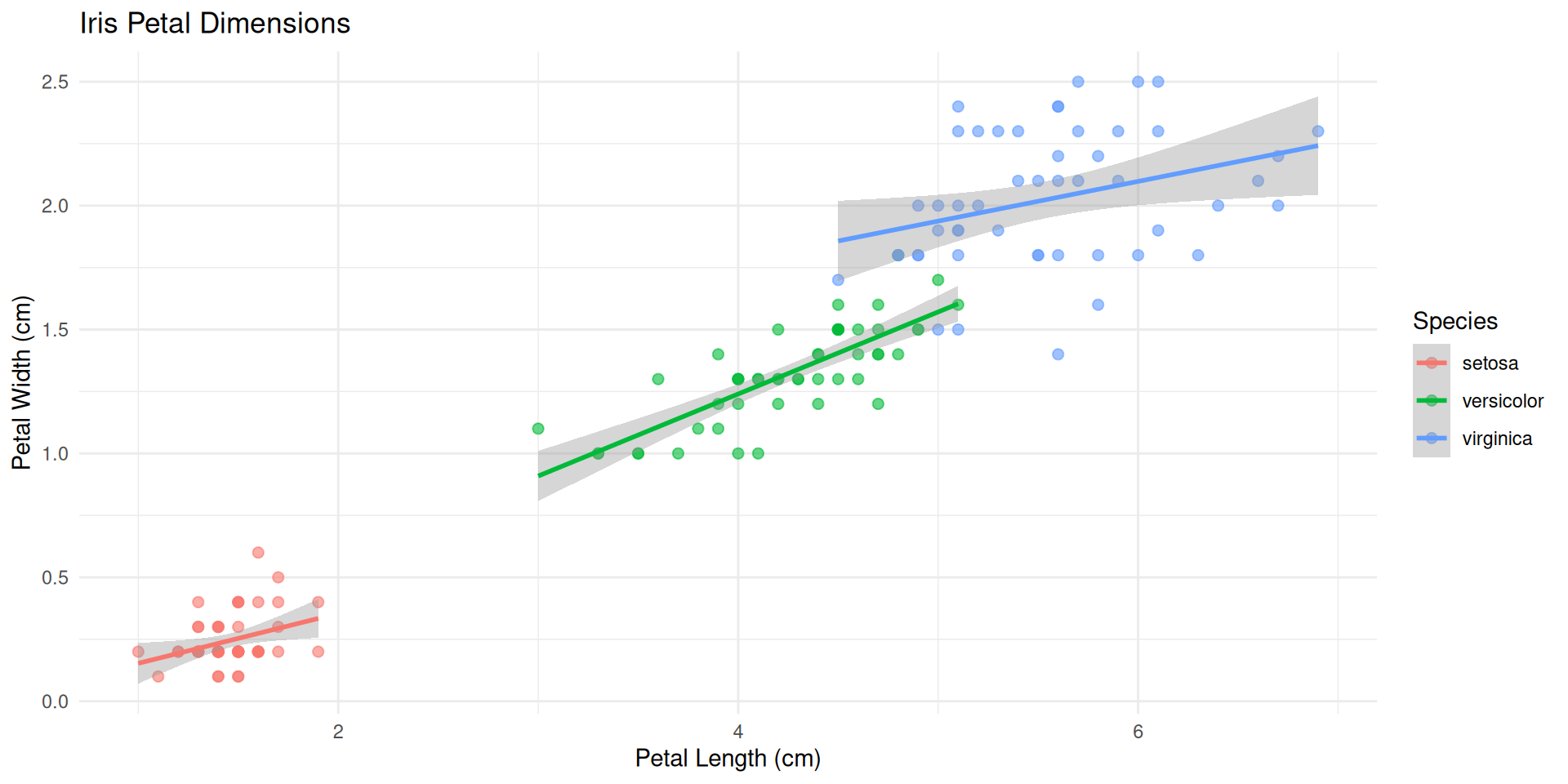
Multiple visualization approaches
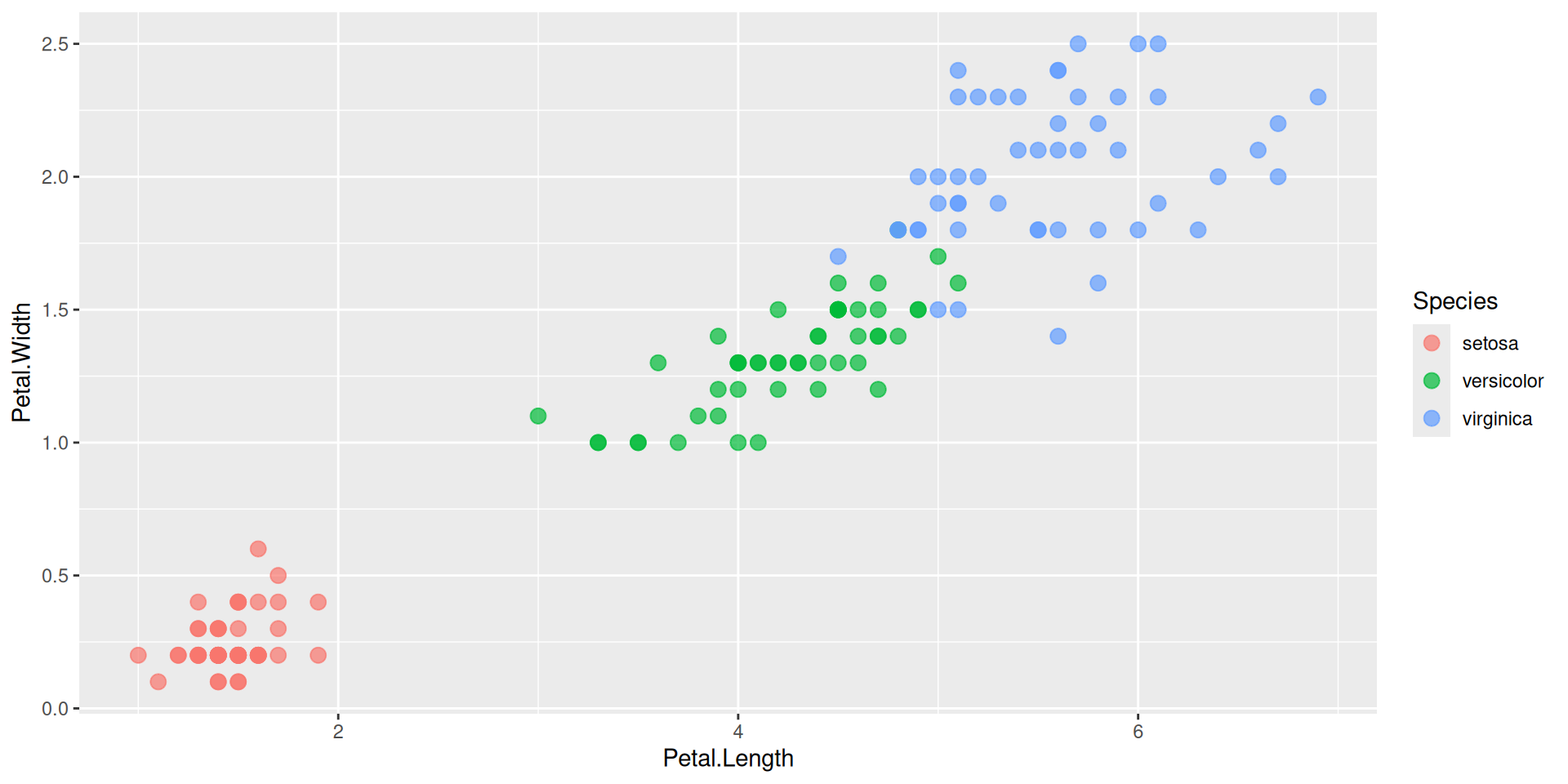
# Scatter Plot with Species
ggplot(iris,
aes(x = Petal.Length,
y = Petal.Width,
color = Species)) +
geom_point(size = 3, alpha = 0.7)
# Add smooth lines per species
ggplot(iris,
aes(x = Petal.Length,
y = Petal.Width,
color = Species)) +
geom_point(size = 2, alpha = 0.6) +
geom_smooth(method = "lm",
se = TRUE) +
theme_minimal() +
labs(
title = "Iris Petal Dimensions",
x = "Petal Length (cm)",
y = "Petal Width (cm)"
)
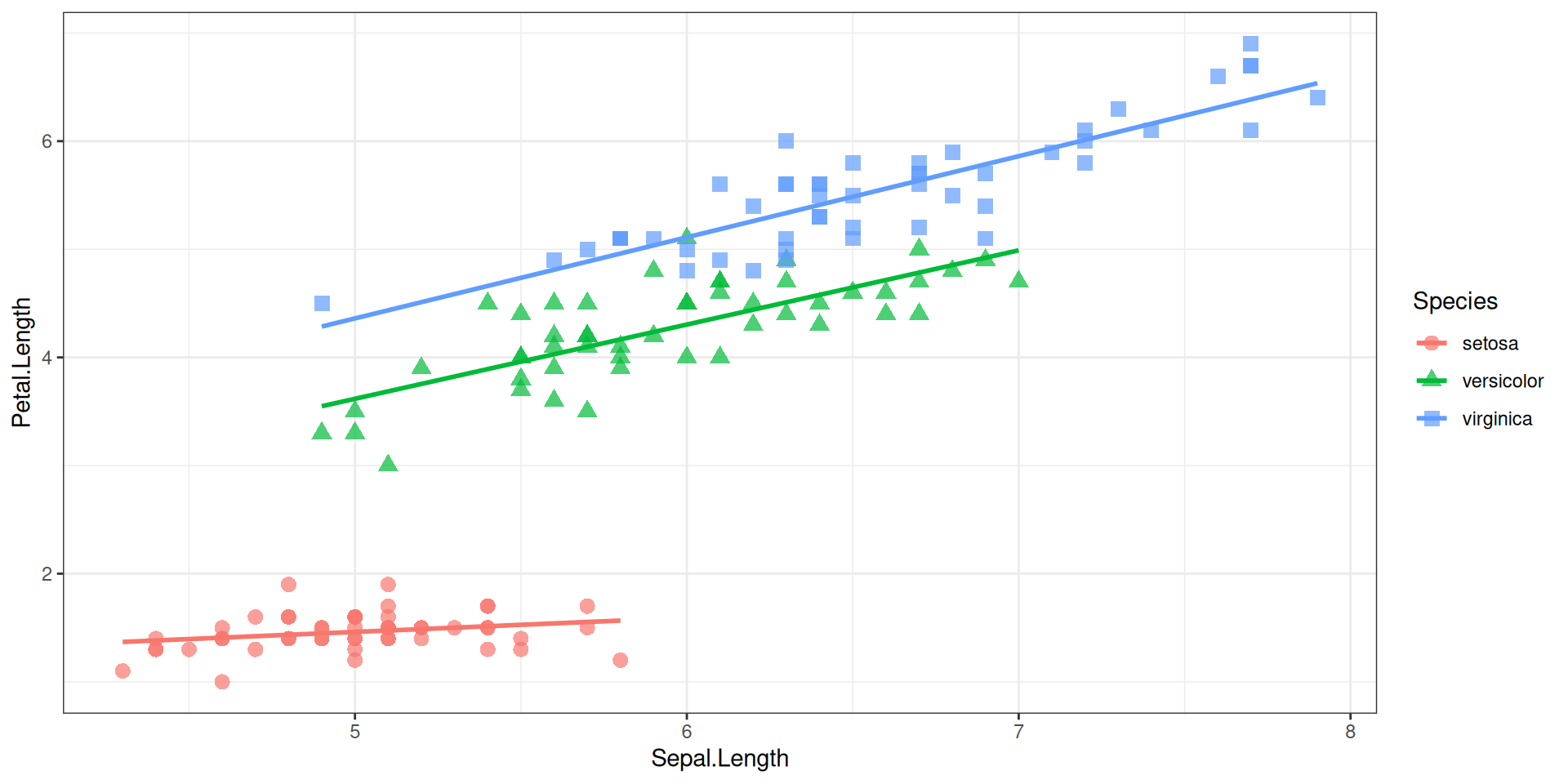
# Sepal vs Petal lengths
ggplot(iris,
aes(x = Sepal.Length,
y = Petal.Length,
color = Species,
shape = Species)) +
geom_point(size = 3, alpha = 0.7) +
geom_smooth(method = "lm",
se = FALSE,
linewidth = 1) +
theme_bw()
# All pairwise comparisons
library(GGally) # install.packages('GGally') if needed
iris %>%
select(everything()) %>%
ggpairs(aes(color = Species))Beyond Scatter Plots ๐
Common visualization types for different data
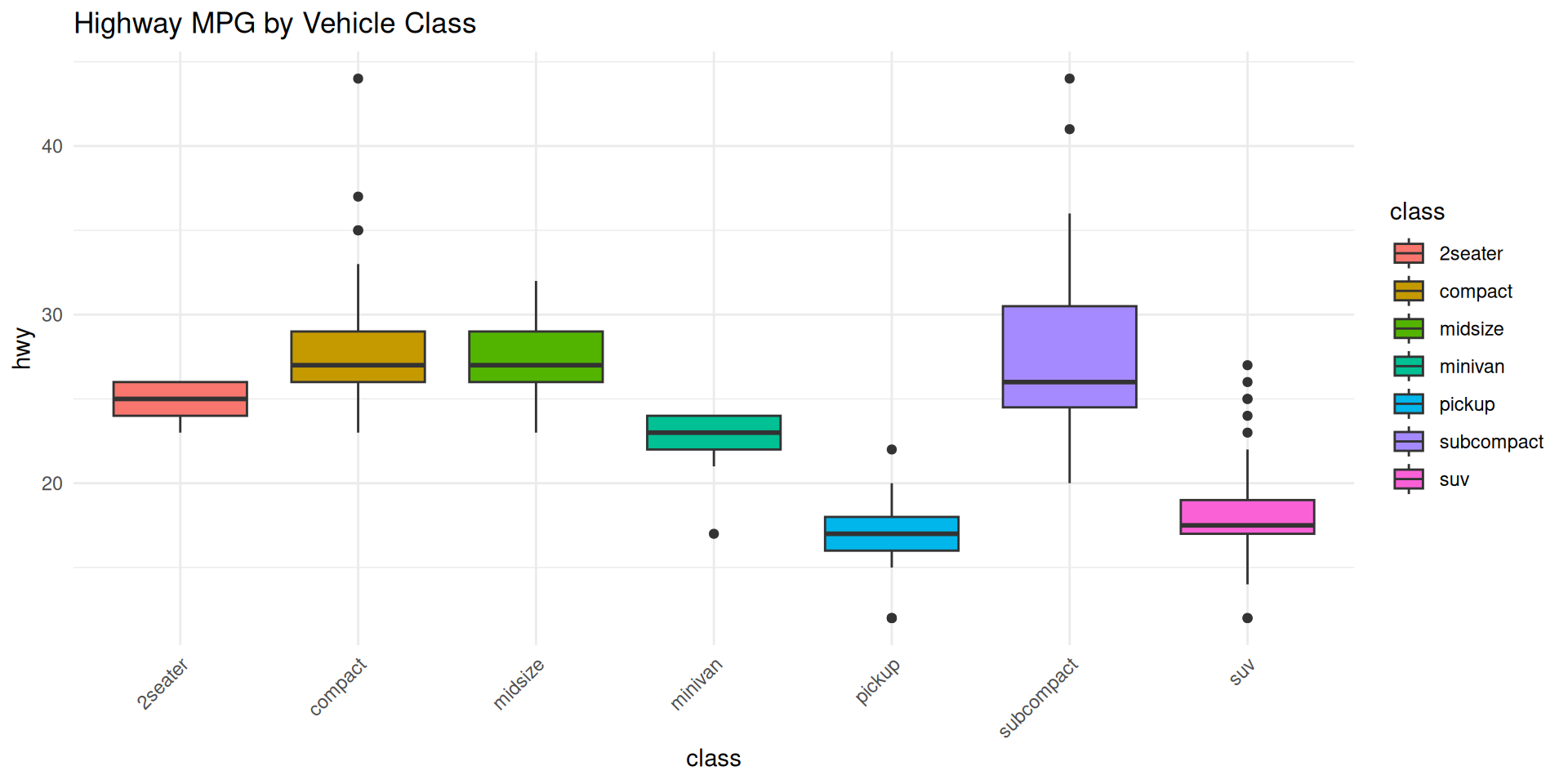
# Box plots - Distribution by group
ggplot(mpg, aes(x = class, y = hwy, fill = class)) +
geom_boxplot() +
theme_minimal() +
theme(axis.text.x = element_text(angle = 45, hjust = 1)) +
labs(title = "Highway MPG by Vehicle Class")
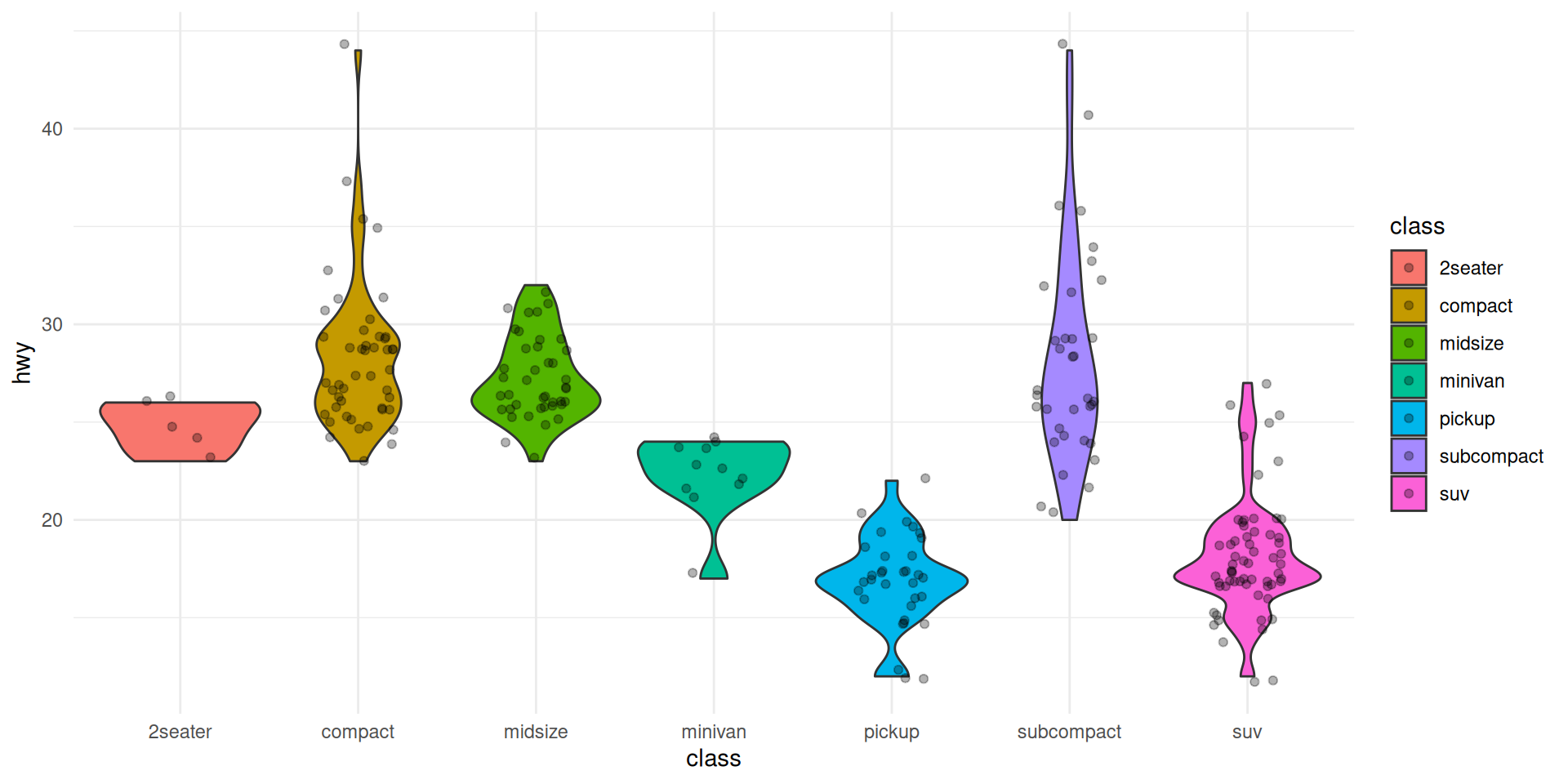
# Violin plots - Similar to boxplot but shows distribution shape
ggplot(mpg, aes(x = class, y = hwy, fill = class)) +
geom_violin() +
geom_jitter(width = 0.2, alpha = 0.3) +
theme_minimal()
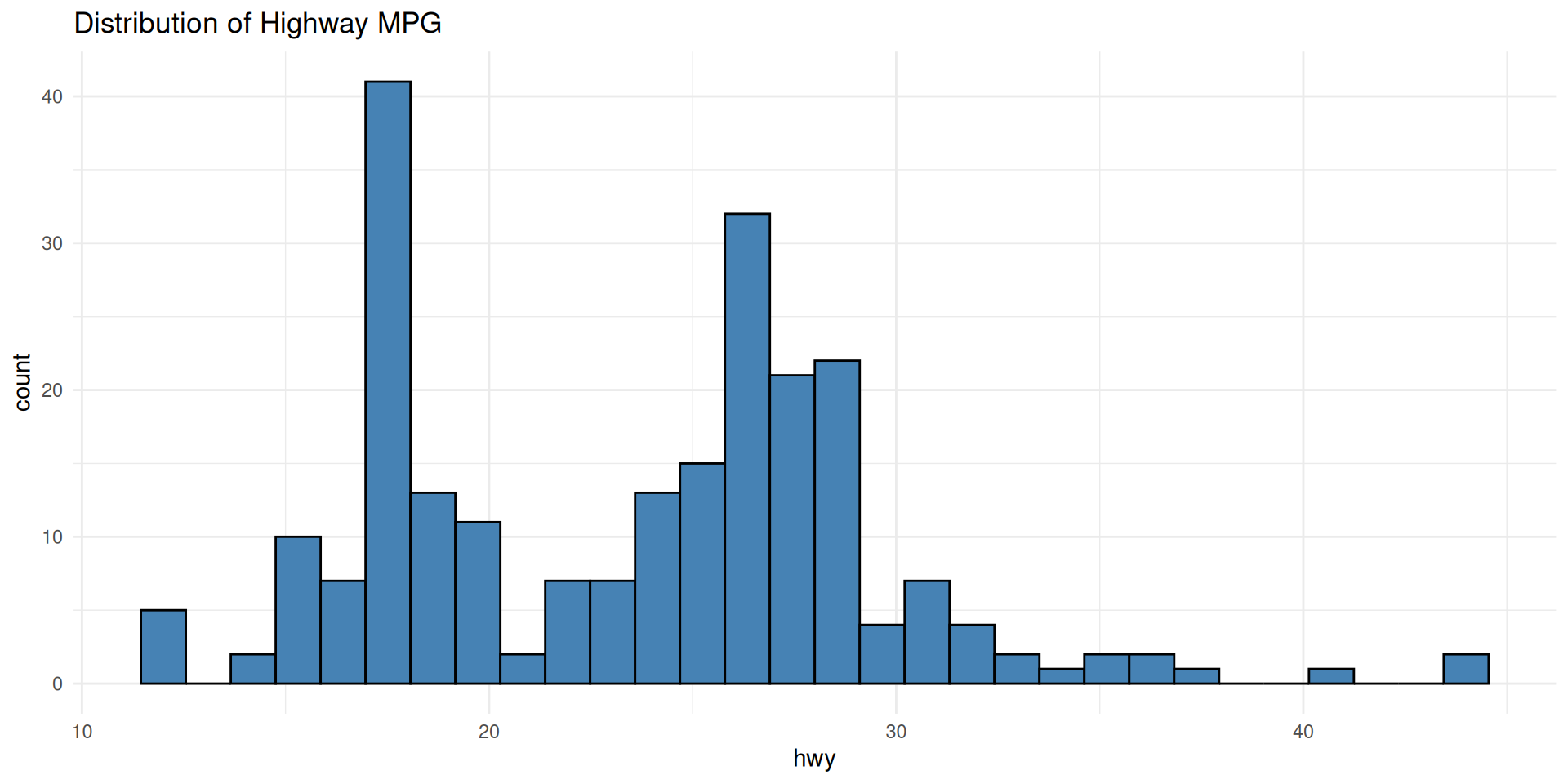
# Histogram - Distribution of a single variable
ggplot(mpg, aes(x = hwy)) +
geom_histogram(bins = 30, fill = "steelblue", color = "black") +
theme_minimal() +
labs(title = "Distribution of Highway MPG")
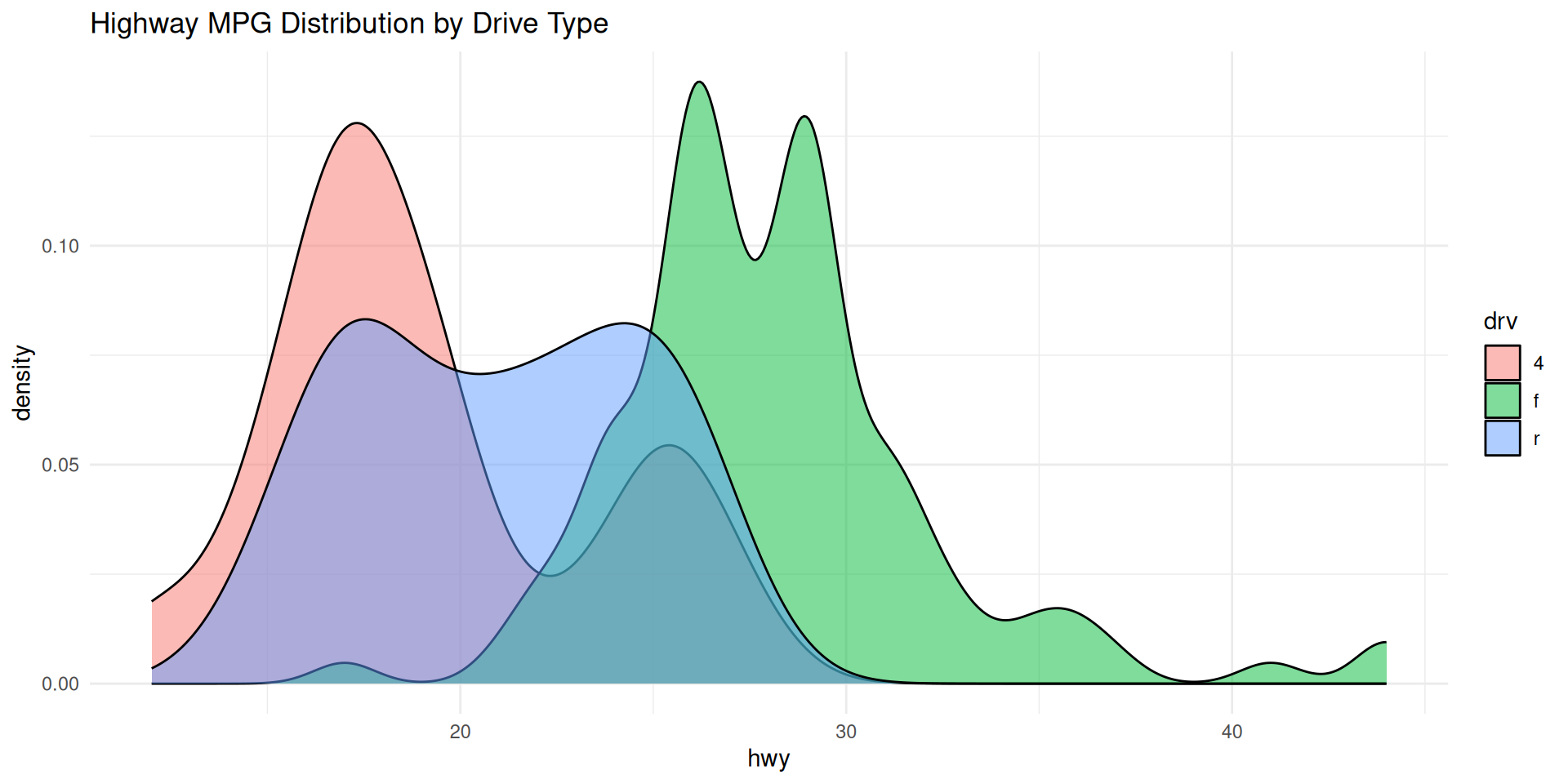
# Density plot - Smooth version of histogram
ggplot(mpg, aes(x = hwy, fill = drv)) +
geom_density(alpha = 0.5) +
theme_minimal() +
labs(title = "Highway MPG Distribution by Drive Type")
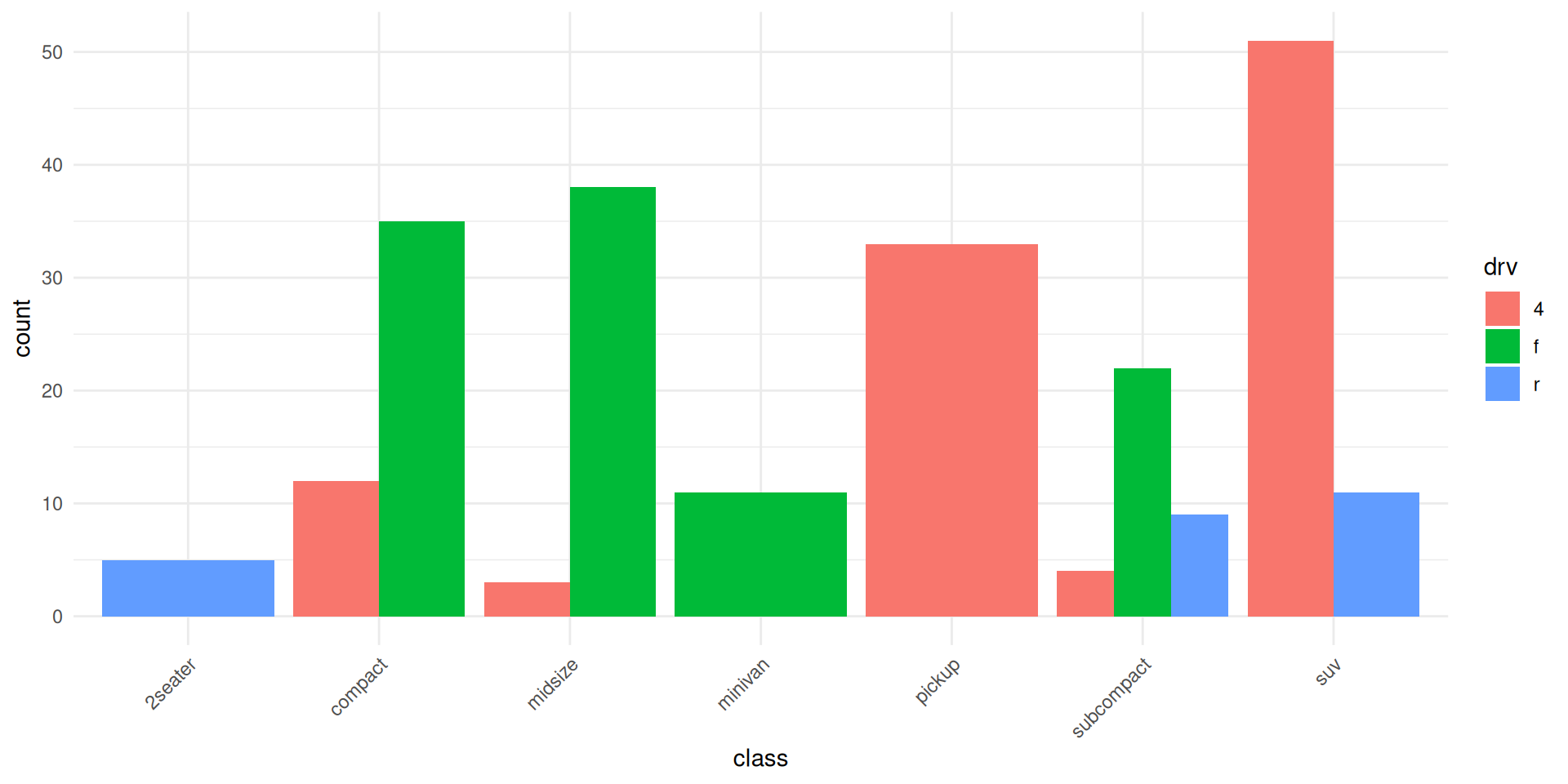
# Bar chart - Counts or values
ggplot(mpg, aes(x = class, fill = drv)) +
geom_bar(position = "dodge") +
theme_minimal() +
theme(axis.text.x = element_text(angle = 45, hjust = 1))


Build Your Own Plot! ๐ ๏ธ
Interactive tool to generate ggplot2 code
Click "Generate" to create ggplot2 code!
Your Turn! (5 minutes) โฑ๏ธ
Combine everything youโve learned into one analysis:
Task: Analyze the mpg dataset to answer: โWhich manufacturer makes the most fuel-efficient cars?โ
library(tidyverse)group_by() and summarize()Hint: Youโll need: filter(), group_by(), summarize(), arrange(), ggplot(), geom_col() or geom_point()
Professional Workflow ๐
Tips for effective data visualization
Important
Make Your Plots Publication-Ready! ๐
Professional visualization guidelines
Doโs: Added details to plot
# Clear, descriptive labels
ggplot(mpg, aes(x = displ, y = hwy)) +
geom_point() +
labs(
title = "Fuel Efficiency vs Engine Size",
subtitle = "EPA data 1999-2008",
x = "Engine Displacement (liters)",
y = "Highway MPG",
caption = "Source: EPA"
)
# Appropriate color scales
ggplot(iris, aes(x = Petal.Length,
y = Petal.Width,
color = Species)) +
geom_point() +
scale_color_brewer(palette = "Set1")
# Readable text
+ theme(
text = element_text(size = 12),
axis.text.x = element_text(angle = 45, hjust = 1)
)
# Show data clearly
+ geom_point(alpha = 0.6, size = 2)Donโts: Common mistakes to avoid in plotting
# Avoid: No labels
ggplot(mpg, aes(x = displ, y = hwy)) +
geom_point() # What does this show?
# Avoid: Too many colors
ggplot(mpg, aes(x = displ, y = hwy,
color = model)) +
geom_point() # 38 colors = chaos
# Avoid: Unreadable text
+ theme(axis.text.x = element_text(
angle = 90,
size = 6)) # Too small!
# Avoid: Overplotting
+ geom_point(size = 10, alpha = 1)
# Can't see individual points
# Avoid: 3D pie charts!
# Never use 3D unless necessary
# Pie charts are hard to readWarning
Troubleshooting Tips ๐ง
Common mistakes and how to fix them
# ERROR 1: Using + instead of %>%
mpg %>%
filter(hwy > 30) + # โ Wrong!
ggplot(aes(x = displ, y = hwy)) +
geom_point()
# FIX: Pipe to data, then + for ggplot layers
mpg %>%
filter(hwy > 30) %>% # โ
Correct!
ggplot(aes(x = displ, y = hwy)) +
geom_point()
# ERROR 2: Aesthetics in wrong place
ggplot(mpg) +
geom_point(aes(x = displ, y = hwy), color = class) # โ Won't map
# FIX: Put mapped aesthetics inside aes()
ggplot(mpg, aes(x = displ, y = hwy, color = class)) + # โ
geom_point()
# ERROR 3: Overwriting ggplot object
plot <- ggplot(mpg, aes(x = displ, y = hwy))
plot + geom_point() # Shows
plot # Still empty!
# FIX: Reassign or build completely
plot <- ggplot(mpg, aes(x = displ, y = hwy)) +
geom_point() # โ
# ERROR 4: Forgetting to load libraries
ggplot(mpg, aes(x = displ, y = hwy)) + # Error: could not find function "ggplot"
# FIX: Load tidyverse/ggplot2 first
library(tidyverse) # โ
Export for Reports & Presentations ๐พ
Save plots in various formats
# Create your plot
my_plot <- ggplot(mpg, aes(x = displ, y = hwy, color = class)) +
geom_point(size = 3, alpha = 0.7) +
geom_smooth(method = "lm", se = FALSE) +
theme_minimal() +
labs(
title = "Fuel Efficiency by Engine Size",
x = "Engine Displacement (L)",
y = "Highway MPG"
)
# Save as PNG (for presentations, web)
ggsave("fuel_efficiency.png",
plot = my_plot,
width = 10,
height = 6,
dpi = 300)
# Save as PDF (for publications)
ggsave("fuel_efficiency.pdf",
plot = my_plot,
width = 10,
height = 6)
# Save as SVG (scalable, for editing)
ggsave("fuel_efficiency.svg",
plot = my_plot,
width = 10,
height = 6)
# Quick save the last plot
ggsave("last_plot.png") # Automatically uses last plot
# Adjust resolution for print
ggsave("high_res.png",
width = 10,
height = 6,
dpi = 600, # High quality for print
bg = "white") # Ensure white backgroundWhat Youโve Learned ๐
Your journey with tidyverse and ggplot2
Important
Youโre Now Ready to Explore Data! ๐
Core concepts mastered today
Note
โ tidyverse Fundamentals:
%>% for readable codefilter(), select(), mutate(), summarize(), group_by(), arrange()Note
โ ggplot2 Visualization:
method = "lm") and smooths (method = "loess")โ Best Practices:
Note
Cheat Sheet ๐
Quick commands for reference
# Load packages
library(tidyverse)
# View data
head(mpg)
glimpse(iris)
summary(data)
# dplyr operations
data %>%
filter(condition) %>% # Keep rows
select(col1, col2) %>% # Choose columns
mutate(new_col = calc) %>% # Create columns
group_by(category) %>% # Group data
summarize(mean = mean(x)) %>% # Aggregate
arrange(desc(col)) # Sort
# Basic ggplot
ggplot(data, aes(x = var1, y = var2)) +
geom_point() + # Scatter plot
geom_smooth(method = "lm") + # Add trend line
labs(title = "Title") + # Labels
theme_minimal() # Theme
# Save plot
ggsave("plot.png", width = 10, height = 6, dpi = 300)